Can AI help run your store? ChatGPT dots and AI store managers
Yes, starting today: ChatGPT, Claude or Gemini can draft customer replies from your store rules and sum up the week's orders. Two prompts to copy, then AI store managers like dots and Muse.
Key takeaways
- Start today by asking AI: paste your store rules and common questions into ChatGPT, Claude or Gemini to draft replies, upload a week of orders for a weekly report, and answer common questions with LINE Official Account auto-replies.
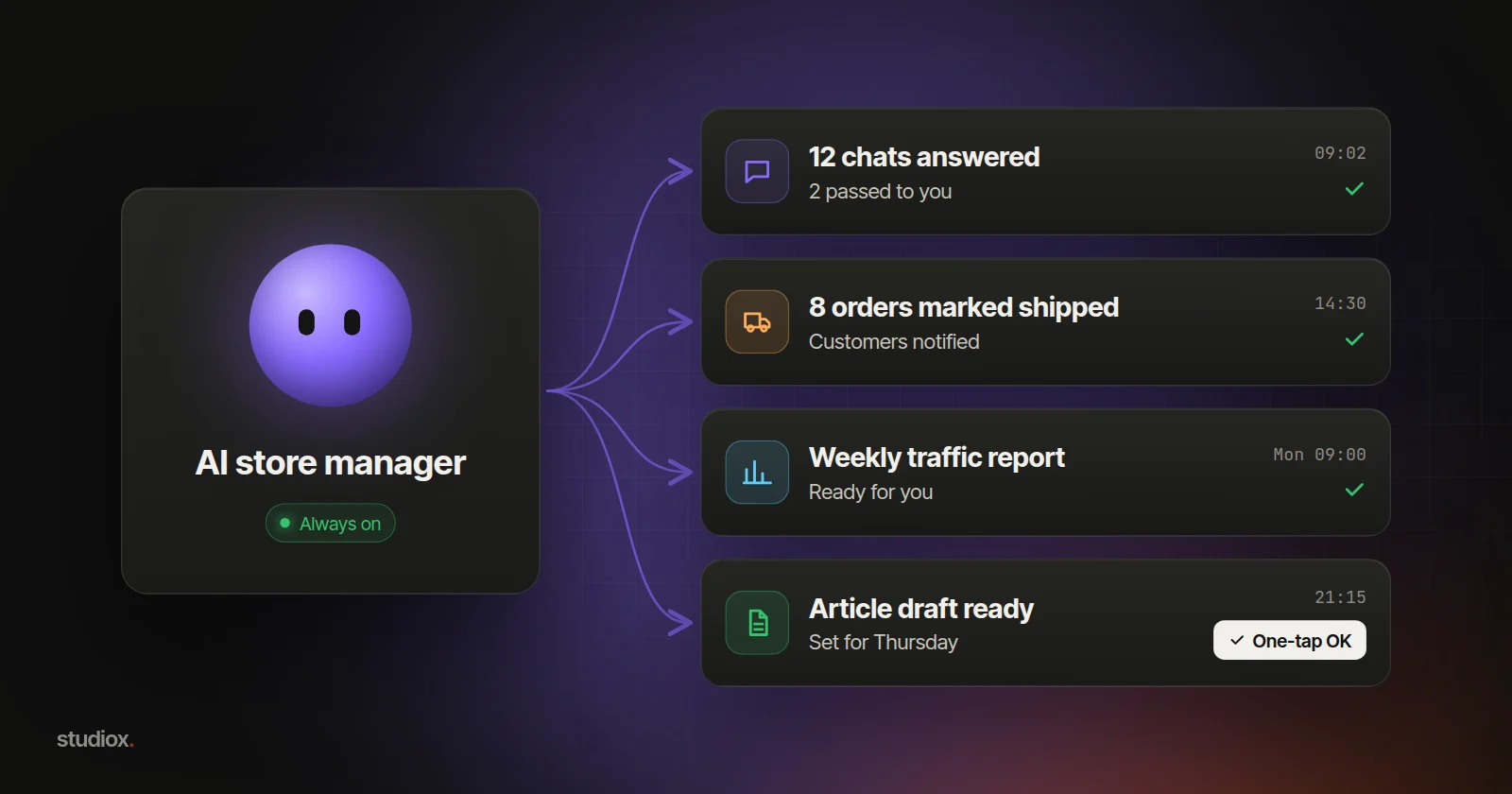
- Always-on AI store managers like OpenAI dots and Meta Muse can answer customers and send a briefing every day, plus a traffic and search report every week. dots works in Taiwan; Muse is only in the US and Canada for now.
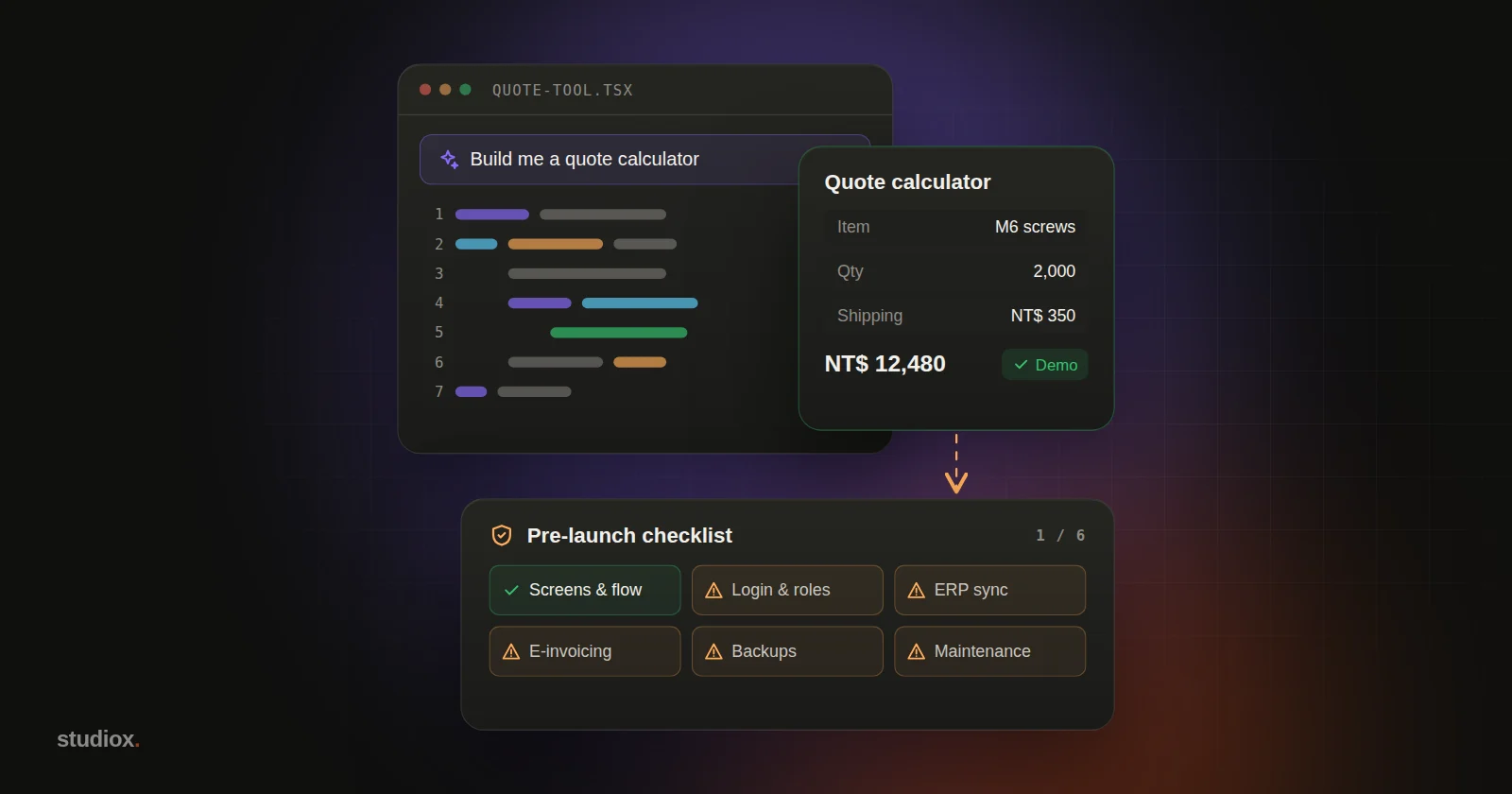
- How much an AI store manager can do depends on whether your back office lets AI operate it. Back offices built by studiox have MCP built in, so AI can call customer, order, product, marketing, content, SEO and report tasks directly.
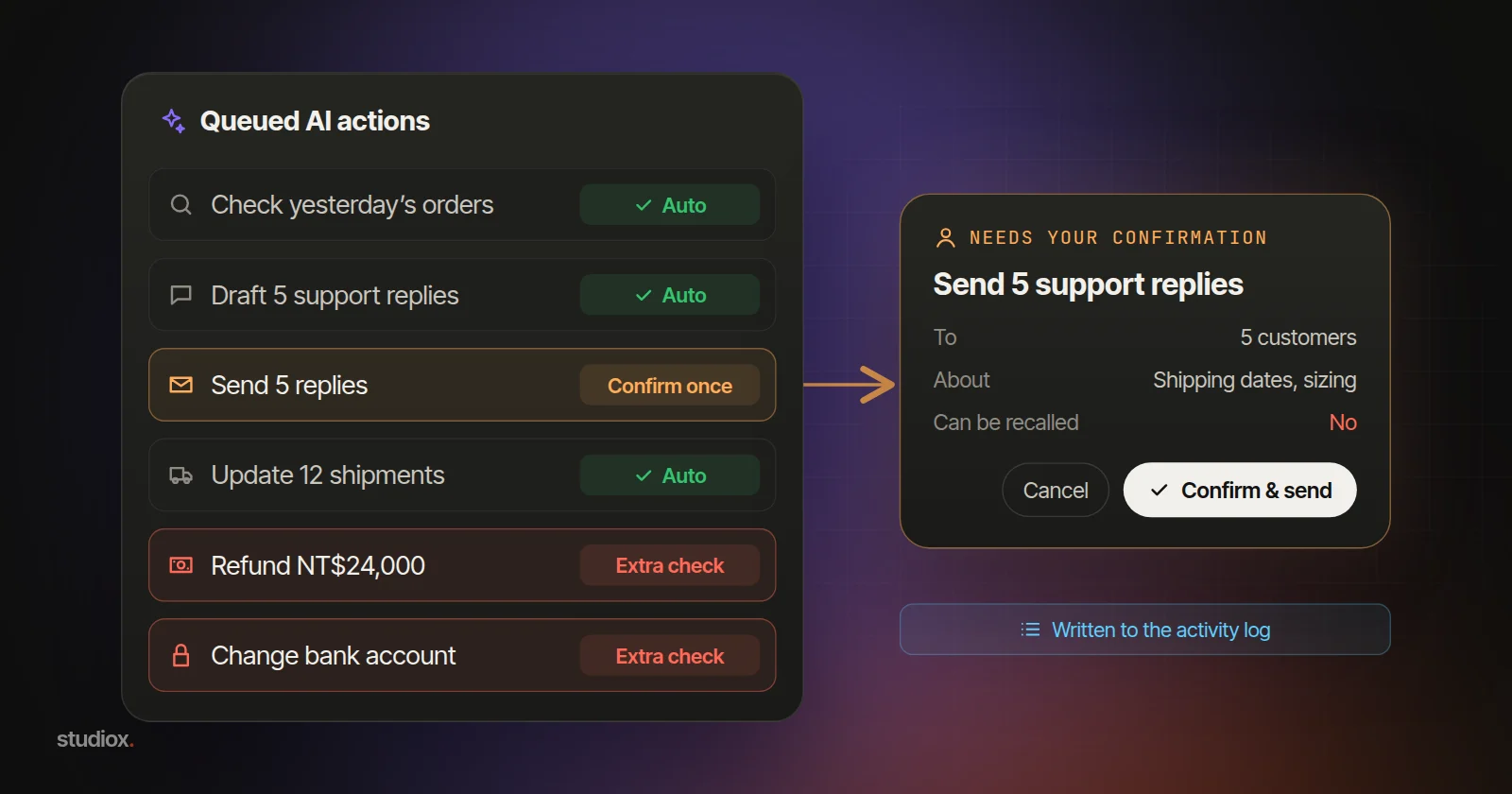
- Hand over work in phases: common questions and briefings first, then drafted changes and articles once it knows your store. Everything is shown to you first and only goes through when you approve.
Table of contents
Yes, and you can start today: paste your store rules and common customer questions into an AI assistant such as ChatGPT, Claude or Gemini, and it can draft replies for LINE (the messaging app most Taiwanese customers use) and turn a week of orders into a short report.
Running a store on your own means messages in the morning, orders and shipping at noon, an article to write in the evening and traffic to check on the weekend. None of it is hard, but it adds up. (Illustrative scenario.)
At the end of September, OpenAI launched dots and Meta launched Muse for Small Business. Both are "always-on" AI: tell it once, and it does the work every day on its own, then reports back. It's like hiring an AI store manager.
Ask AI first
Copy these and swap in your own rules, products and numbers (the ones below are examples).
Draft replies to common questions
Below are our online store's rules (shipping costs, shipping times, returns and exchanges, this month's promotion) and the 5 questions customers ask most. Following the rules, draft a friendly LINE reply of two or three sentences to each. Don't make up anything the rules don't cover; mark it "Ask the owner." Finish with a table: question, suggested reply, keywords for auto-replies.
Sum up this week's orders
Attached is this week's order export (order number, date, product, quantity, amount, payment status, shipping status). Turn it into a weekly report: orders and total sales compared with last week (86 orders, NT$152,400), the 5 best sellers, orders unpaid for more than 3 days, and orders paid but not yet shipped. Use tables, then tell me in three sentences what to watch this week.
Check the replies against your rules; shipping costs, delivery times and return terms are where mistakes slip in. The report's totals should match your back office, and AI won't know about stockouts or delays unless you tell it. The export includes customers' names, phone numbers and addresses, which the report doesn't need: delete those columns before you upload.
4 things you can do now
1. Write your store rules into one document
How shipping is charged, how soon orders ship, how returns work, which products are seasonal, what's on promotion this month: put it all in one document on a shared drive. Colleagues have something to go by, and pasting it in with your questions keeps AI to the same rules. Save it in a ChatGPT or Claude Project, or a Gemini Gem, so you don't have to paste it each time; it's also what you'll hand an AI store manager later.
2. Answer common questions with your LINE Official Account
A LINE Official Account is LINE's business account. Set up keyword auto-replies for questions like "shipping," "delivery" and "returns," using the keywords and replies from the first prompt. Add a link to your FAQ page to the rich menu, and state your reply hours in the welcome message. Tag conversations that need you personally, and answer them together later.
3. Check orders at set times each day
In your order back office or spreadsheet, set up filters such as "unpaid" and "ships today," and check them morning and afternoon rather than every time an order comes in. Once a week, export the orders and have AI write the weekly report.
4. Look at Google Search Console once a week
If your site is already connected to Google Search Console, open the Performance report every Monday. Compare clicks and impressions with the week before, and see which pages slipped and which searches brought people to you. Topics people search for that you haven't covered yet are your next articles: have AI draft one, then add your own know-how.
What an AI store manager can do for you
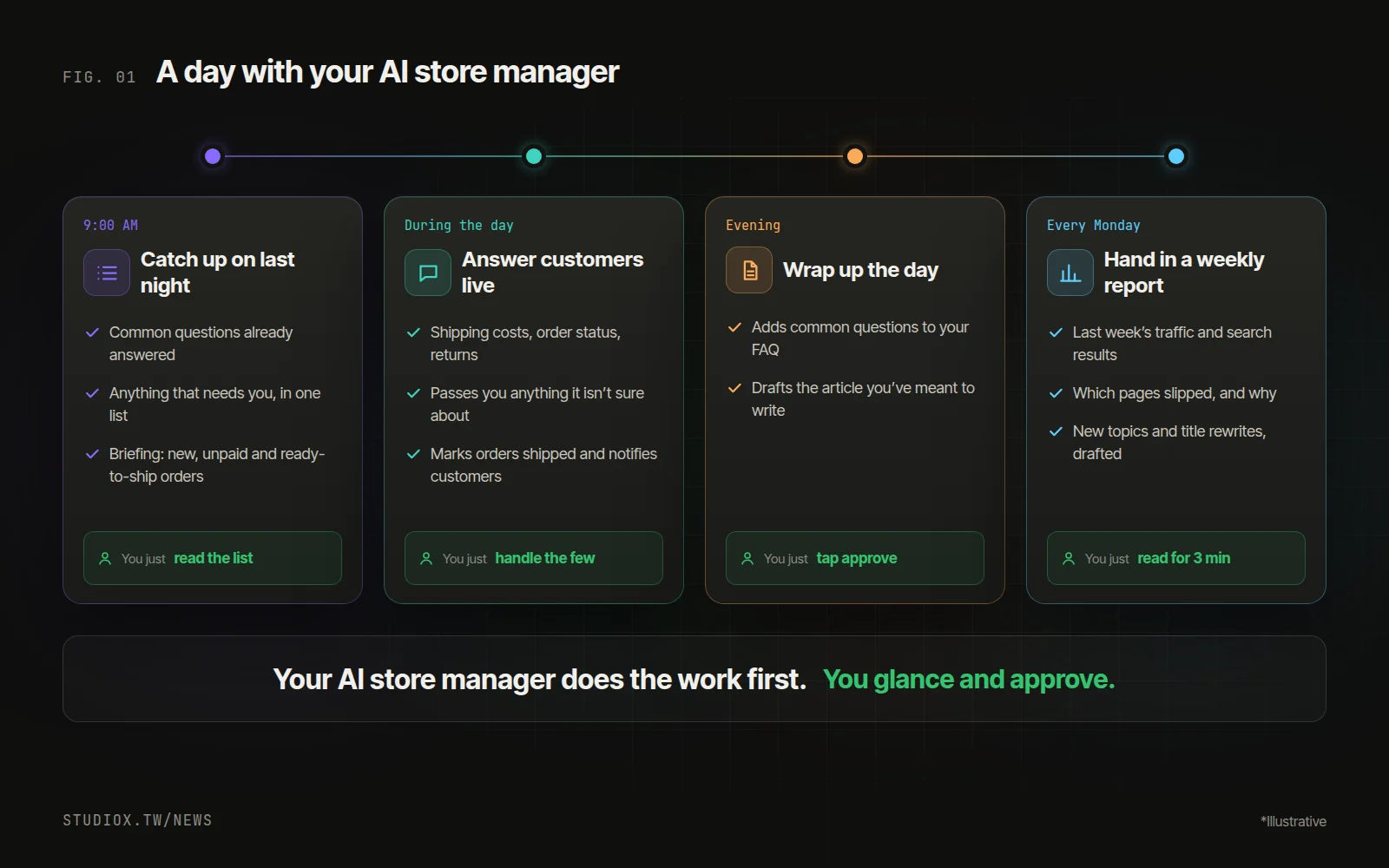
- 9:00 a.m.: overnight common questions are answered, anything needing your decision is in one list, and a briefing shows new orders, unpaid ones and what ships today.
- During the day: it answers questions about shipping costs, order status and returns right away, marks orders shipped and lets customers know.
- Evening: it adds today's most-asked questions to your FAQ and drafts the article you've been meaning to write.
- Every Monday: a traffic and search report, with slipping pages, uncovered topics people search for, and better titles already drafted.
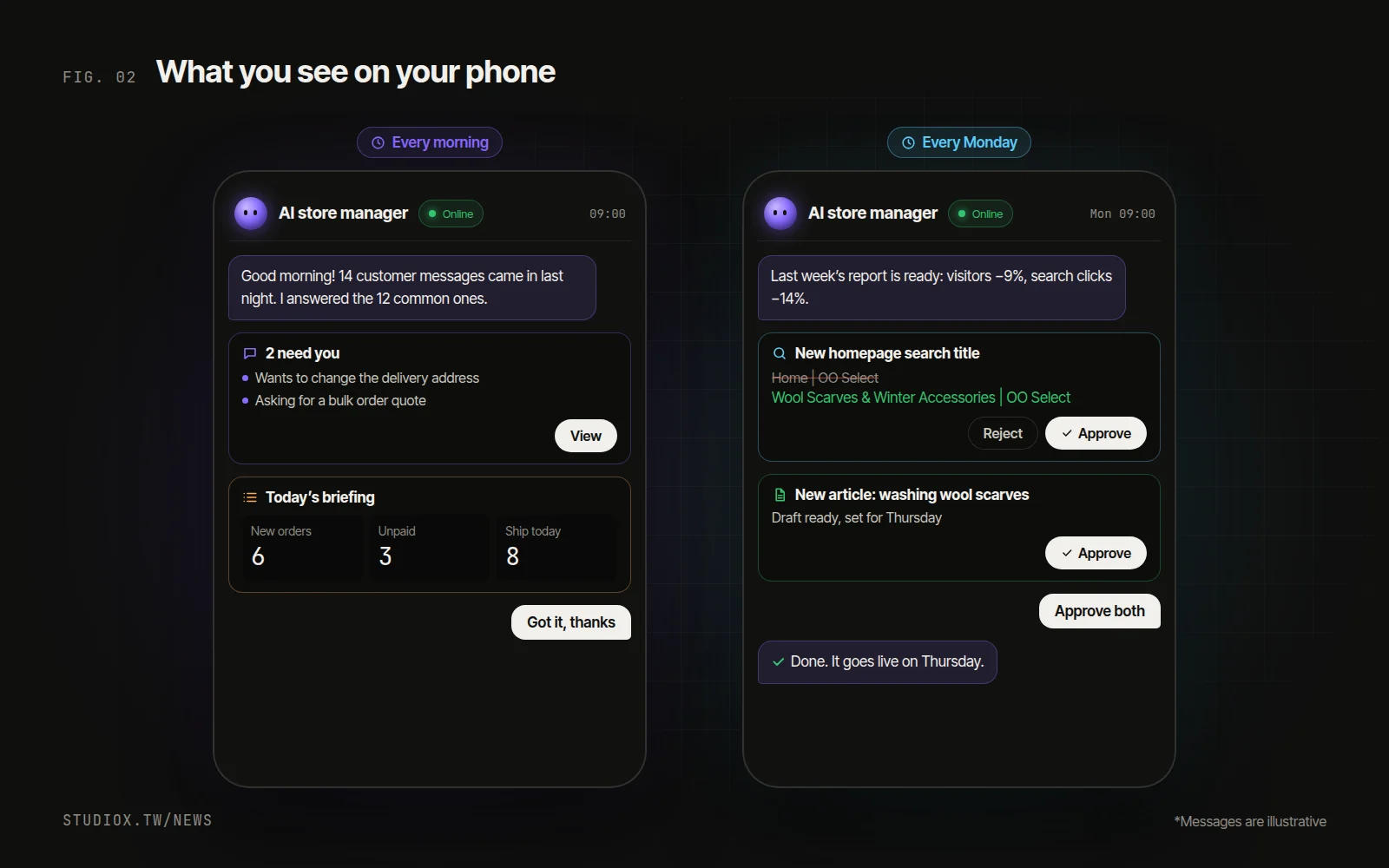
Tell it a rule once and it remembers: its replies, reports and drafts follow that rule from then on. The store guide from step 1 is exactly what to give it.
dots, Muse, or the AI built into your back office?
| Best at taking on | Available in Taiwan? | |
|---|---|---|
| OpenAI dots | Website traffic, SEO, work across apps | Yes (ChatGPT Pro, Business Premium) |
| Meta Muse | Instagram, Facebook Pages, ads | US and Canada only for now |
| Xena AI (built into studiox back offices) | Customer messages, orders, articles, traffic | Yes, no extra subscription |
If your back office was built by studiox, you can also just ask the built-in Xena AI: "Which customer messages haven't been answered today?" "Schedule this article for next Monday."
When to consider the next step
With the four steps above in place, running the store alone gets noticeably easier. Consider letting an AI store manager take on more when:
- Messages pick up, and many questions need an order lookup before you can answer.
- You're exporting orders and pasting customer questions into AI every day.
- You want AI to go beyond drafts and mark orders shipped and notify customers itself.
- You run several websites and want to handle them in one place.
The next step: let AI operate your back office directly
Whether an AI store manager can really help depends on whether your back office lets AI operate it directly. Most back offices are designed for people to click through; the more dependable approach is a back office that offers tasks AI can call directly.
Back offices built by studiox are designed for AI from the start, with full MCP built in (the open standard that lets AI operate a system directly). Everything a store manager can do in the back office is open for AI to call directly:
| Store manager's job | What you can hand to your AI store manager |
|---|---|
| Customer messages | Read conversations, reply to many customers at once |
| Orders | Look up orders, mark them shipped, bulk updates, confirm payments and refunds |
| Products and marketing | Edit products and stock, issue coupons, send SMS campaigns |
| Website content | Articles, FAQ, page SEO, scheduled publishing |
| Reports | Shop briefing, website traffic, Google search performance |
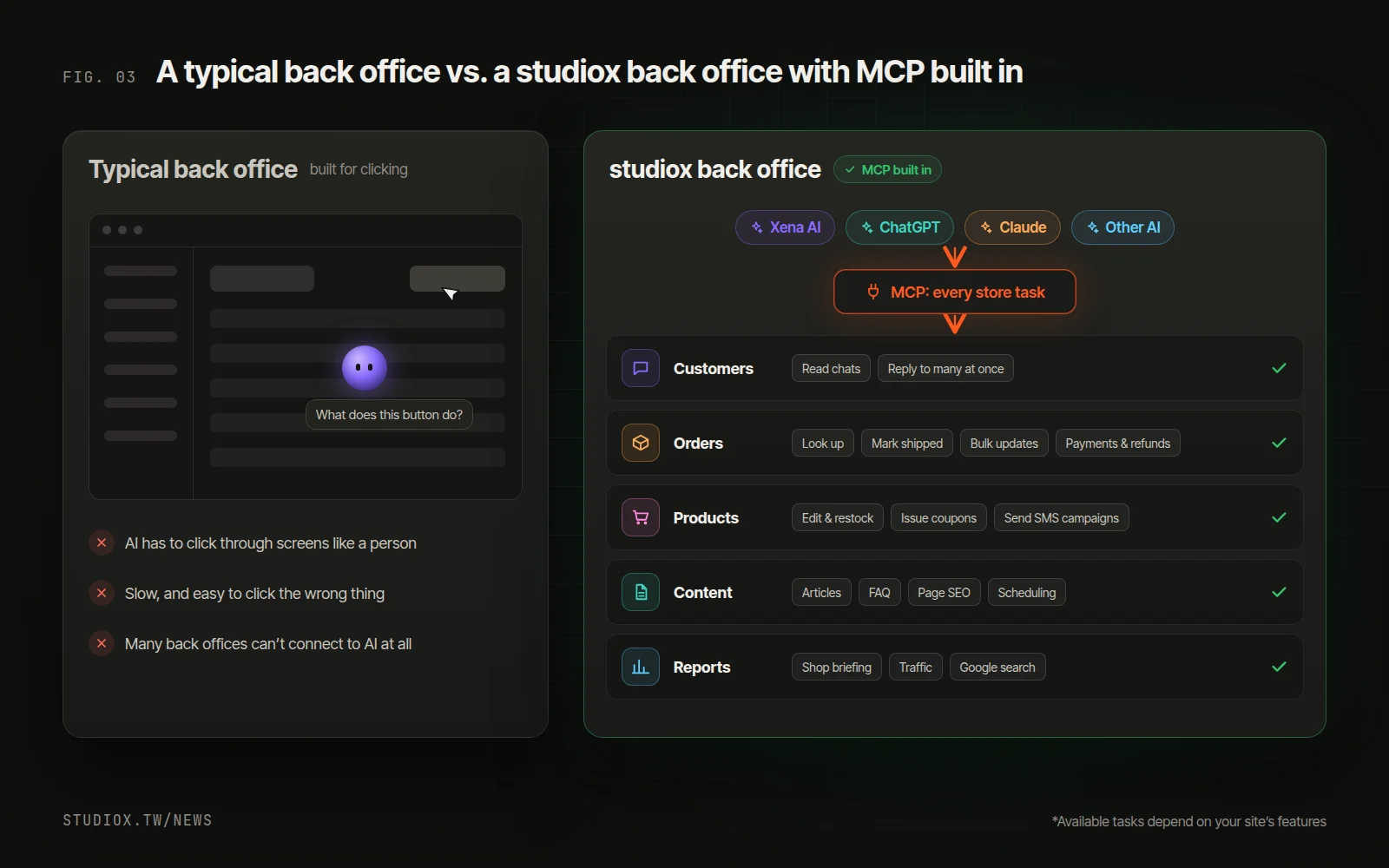
- One URL for all your sites: through StudioX Console, an AI can reach every website you run in one go.
- Works with the AI you prefer: the built-in Xena AI, ChatGPT and Claude all use the same set of tasks.
- Every step is on record: who did what, when and through which AI, and mistakes can be rolled back.
You can hand over work in three steps:
- Connect your back office: studiox back offices already have MCP built in, so just use Xena AI or connect ChatGPT or Claude. For other sites, we can add MCP for you.
- Start with the routine work: in the first week, let it answer common questions and send the briefing and weekly report while you check its replies. Your LINE auto-replies carry on as before.
- Then hand over more: once it knows your store, let it draft changes and write articles. Everything is shown to you first and only goes through when you approve.
To find out how your website and back office could connect to MCP, get in touch or start with a free AI Health Check. You can also read about our stores & brands solution, systems integration services and AI integration services.