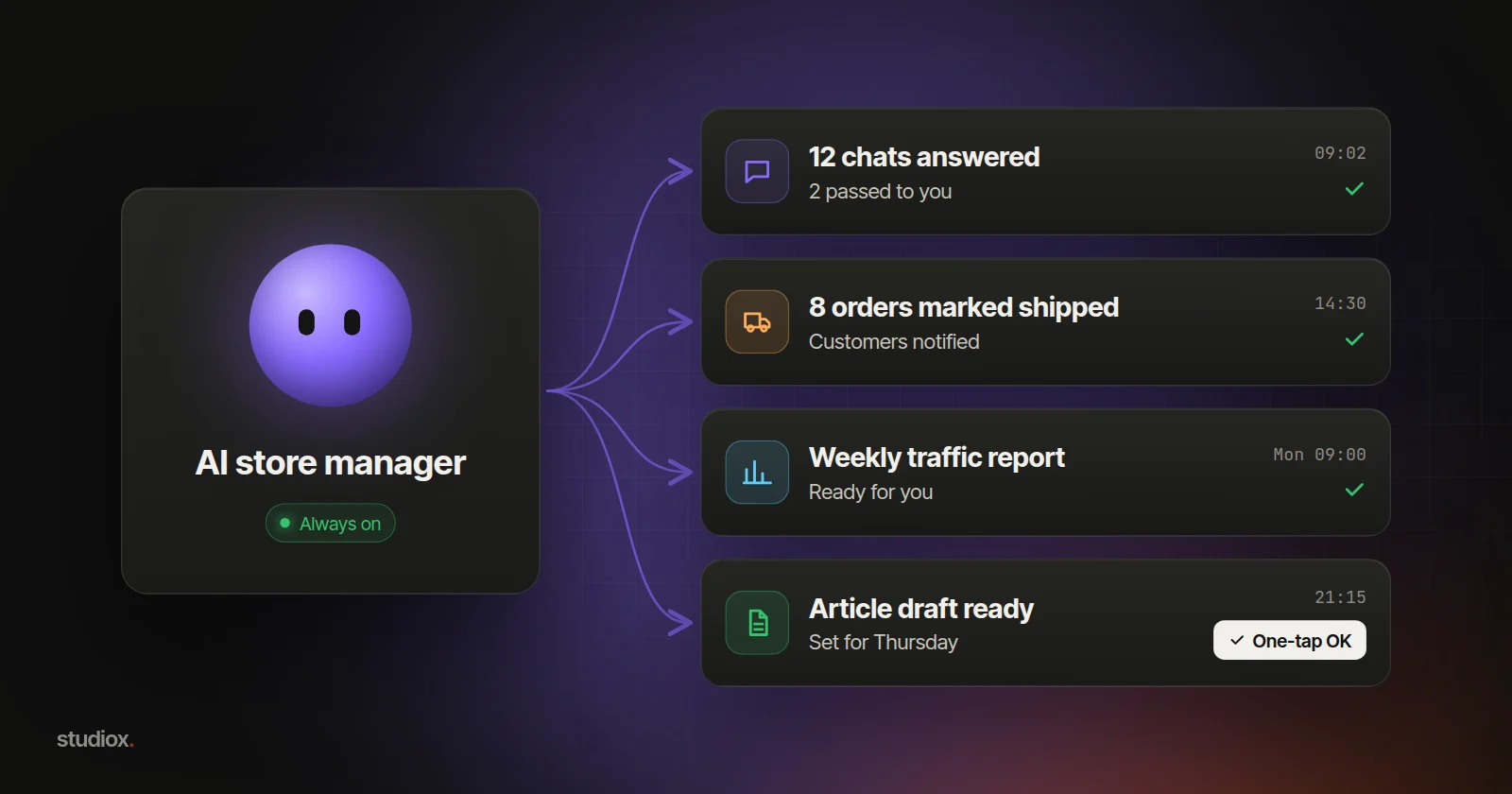
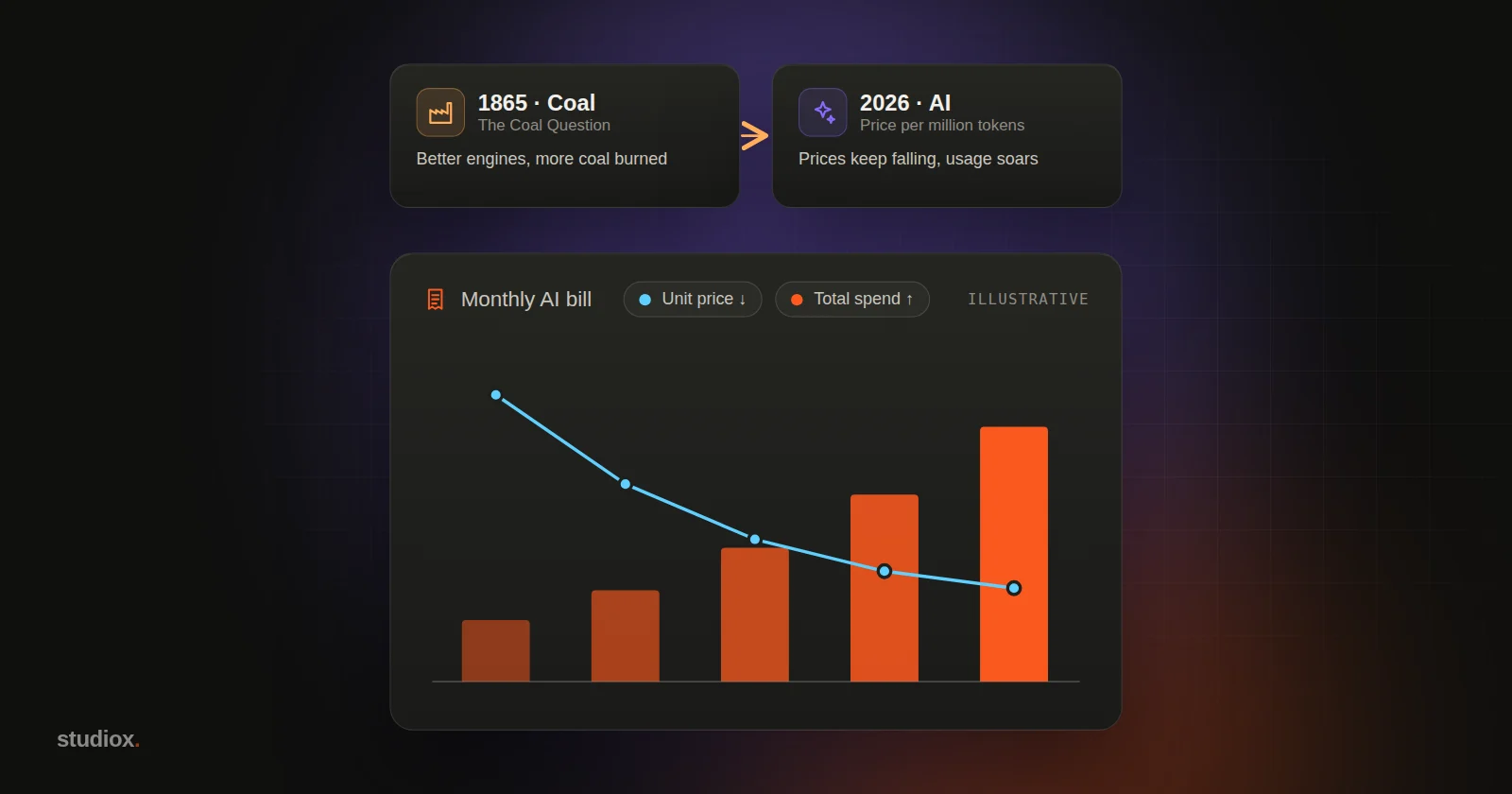
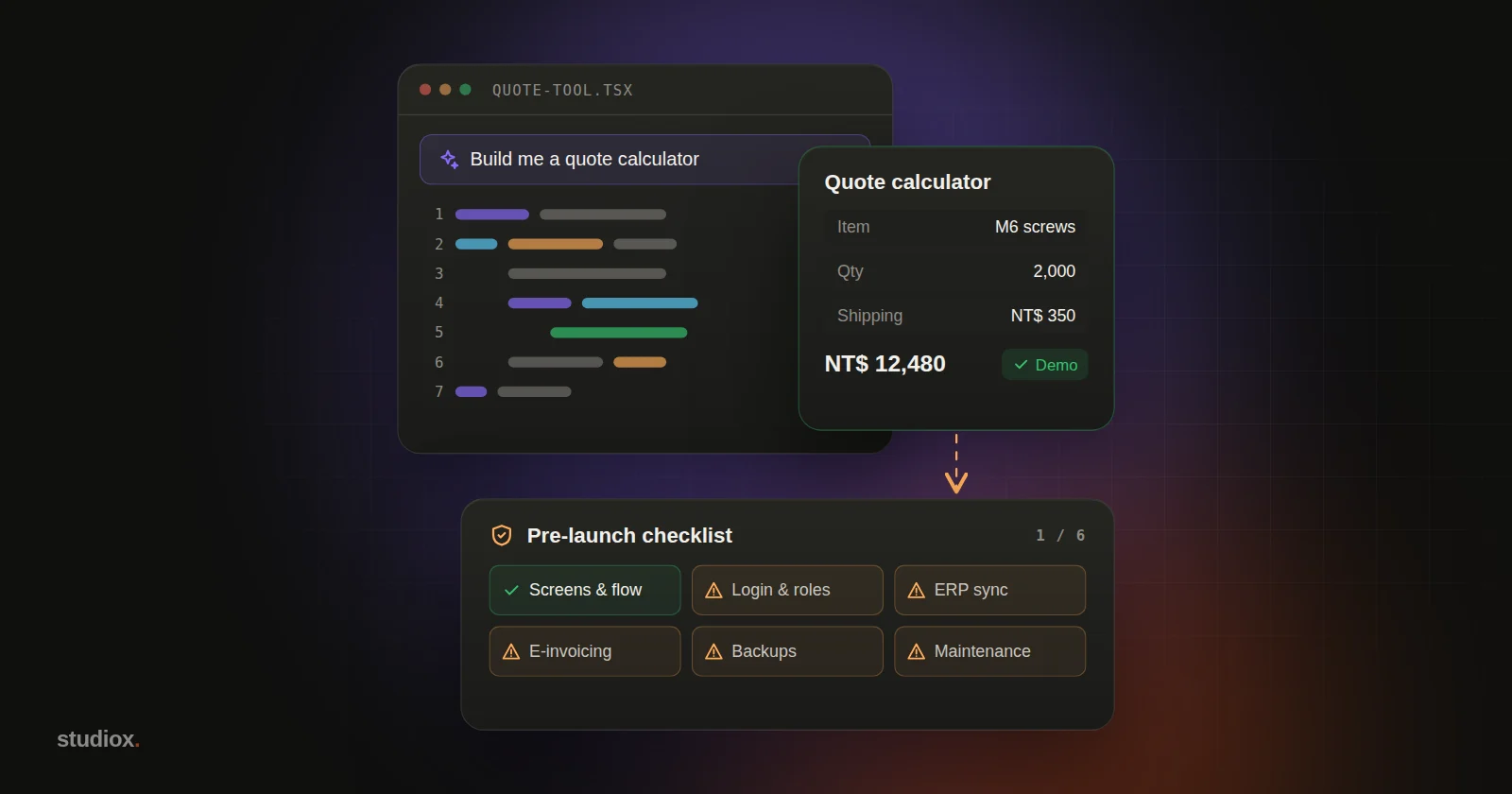
What can AI do on its own? Human-in-the-loop starts with 5 actions
Reversible actions like lookups and drafts can run on their own; money, mass sends, deletions, account changes and bulk edits need a person. Prompts to copy, thresholds and how to build it in.
Key takeaways
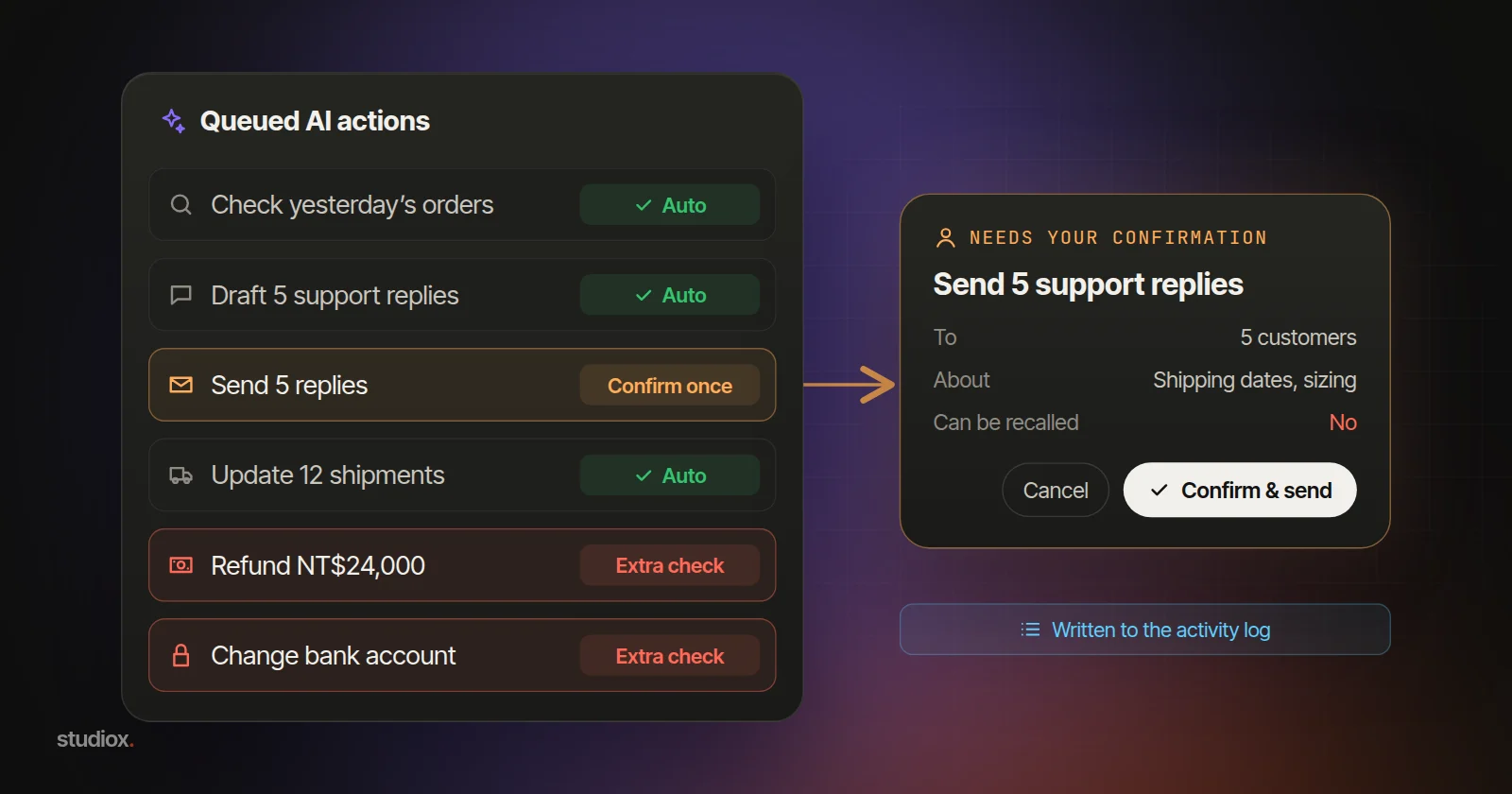
- Ask AI first: paste your list of actions that change data, send something or move money into ChatGPT, Claude or Gemini, have it sort them by "can it be undone, how big is the impact" into run automatically, confirm once or stricter approval, then have the person responsible check each one.
- Five kinds of action should go to a person first: money going out, sending to customers at scale, deletions and anything irreversible, permission and account changes, and bulk edits. Set thresholds by amount, count, running total, confidence, first-time counterparties and exception lists.
- Confirmations only work when there are few of them: confirm a batch once and ask only about exceptions. The screen should show who, what, how many, before and after, and whether it can be undone.
- Next, build confirmation, logs and restore points into the back office, so the built-in AI assistant and outside tools connected over MCP follow the same rules.
Table of contents
- Ask AI first
- 3 things you can do today
- Full automation vs. confirming everything: what each runs into
- Five actions a person should confirm first
- How to set thresholds: amount, count, confidence and exceptions
- A good confirmation screen can be read in five seconds
- When to consider the next step
- The next step: build confirmation and logging into the system
Actions that can be undone, such as lookups, sorting and drafts, can run on their own with a log entry. Five kinds should go to a person first: money going out, sending to customers at scale, deletions and anything irreversible, permission and account changes, and bulk edits.
Many teams already have AI looking up orders, sorting customer service email and drafting replies. Most companies also have approval habits: the store manager signs off on refunds, the owner approves large payments, and a change of bank details gets a confirming phone call. These habits are exactly where an AI confirmation process should start. More confirmations aren't always better, though. This article begins with two prompts for today, then covers thresholds, confirmation screens and building it all into your system. It's about operating rules; for security risks like prompt injection, see how to approach AI agent security.
Ask AI first
Paste these into an AI assistant such as ChatGPT, Claude or Gemini and swap in your own details (the examples are illustrative).
Sort your actions into three levels
Below are actions our back office and AI tools perform: look up orders, draft customer replies, send those replies, issue refunds, send mass LINE messages, change product prices in bulk, delete orders, change the payout bank account. For each, answer two questions: if it goes wrong, can it be undone? How big is the impact (internal only, customers, or money)? Then sort them into three levels: run automatically with a log, a person confirms once, or stricter approval (such as a second approver). Use a table, and suggest a conservative threshold (an amount or a count) for each action in the last two levels.
Confirm a batch once: split today's refunds into two groups
Attached are today's 12 refund requests (request number, customer code, amount, reason, this customer's request count this month). Split them into two groups. NT$3,000 or less, the customer's first request this month and a clear reason: "OK to refund." Everything else: "For the store manager." Then turn the second group into one message for the manager, one line per request: request number, amount and why it needs a look.
Both are suggestions. Have the person responsible check the level table item by item. For the refunds, check that the two groups match the original list in count and total amount; a person still issues each refund. Before uploading, use your company's enterprise plan, or replace customer names and phone numbers with codes and delete unneeded columns.
3 things you can do today
1. List every action that does something, sort it and set thresholds
In an Excel or Google Sheets file, list every action that changes data, sends something or touches money (lookups don't count). Useful columns: the action, who does it, whether it can be undone, how far the impact reaches and who confirms it today. Then ask two questions about each one: if it goes wrong, can we undo it, and how big is the impact? If it can be rolled back anytime and only affects internal data, mark it "run automatically, keep a log." If it affects customers or money, mark it "a person confirms once." If it can't be undone, involves a large amount or changes the account you get paid into, mark it "stricter approval," for example a second approver.
Add conservative thresholds to the same sheet, such as the refund amount above which a person checks first (there's a sample table below). The first prompt above can draft all of this for you.
2. Add a second pair of eyes with the tools you have
- Payments: many business online banking services let you set up separate "maker" and "approver" roles, so one person creates a transfer and another releases it.
- Mass messages: in your LINE Official Account (LINE is the messaging app most Taiwanese customers use), you can save a message as a draft or schedule it, so a colleague can check the content and audience before it goes out.
- Bank detail changes: when someone asks you to "just update the bank account," call back on the number you already have on file instead of only replying to the message.
3. Record each confirmation, and review monthly
In a shared sheet, record the date, the action, who confirmed it and whether anything was changed. Once a month, look back: confirmations that were never changed may be ready to loosen; ones that are often sent back should stay or get stricter.
Full automation vs. confirming everything: what each runs into
With full automation, mistakes are hard to see. Every time the AI gets something wrong, the system carries it out, and it repeats at machine speed. The error often surfaces only when a customer gets in touch, the books don't reconcile at month-end or the inventory doesn't add up.
When everything needs confirming, confirming becomes a reflex. Healthcare learned this long ago: electronic health records throw up so many drug warnings that doctors dismiss most of them, including the ones that matter. The US Agency for Healthcare Research and Quality (AHRQ) calls this "alert fatigue" and treats it as a serious patient-safety risk.
An illustrative scenario: an online clothing store lets AI approve defect refunds on its own, and the month-end reconciliation turns up a customer who used the same photo to claim four times. After switching to confirming everything, the customer service lead faces more than 200 confirmation pop-ups a day. What matters is where the confirmations sit.
Regulators have noticed, too. Article 14 of the EU AI Act requires high-risk AI systems to be designed so people can oversee them effectively. It specifically names "automation bias," the tendency to over-rely on what an AI produces, and requires that people be able to disregard, override or reverse the AI's output and bring the system to a stop. A typical e-commerce or trading company's back office usually isn't a high-risk use (see our overview of AI regulation in 2026 for the scope and timeline), but the principle still applies: people should be able to understand it, overrule it and stop it.
Five actions a person should confirm first
Run through the two questions above and five kinds of action land in the "confirm" zone almost every time:
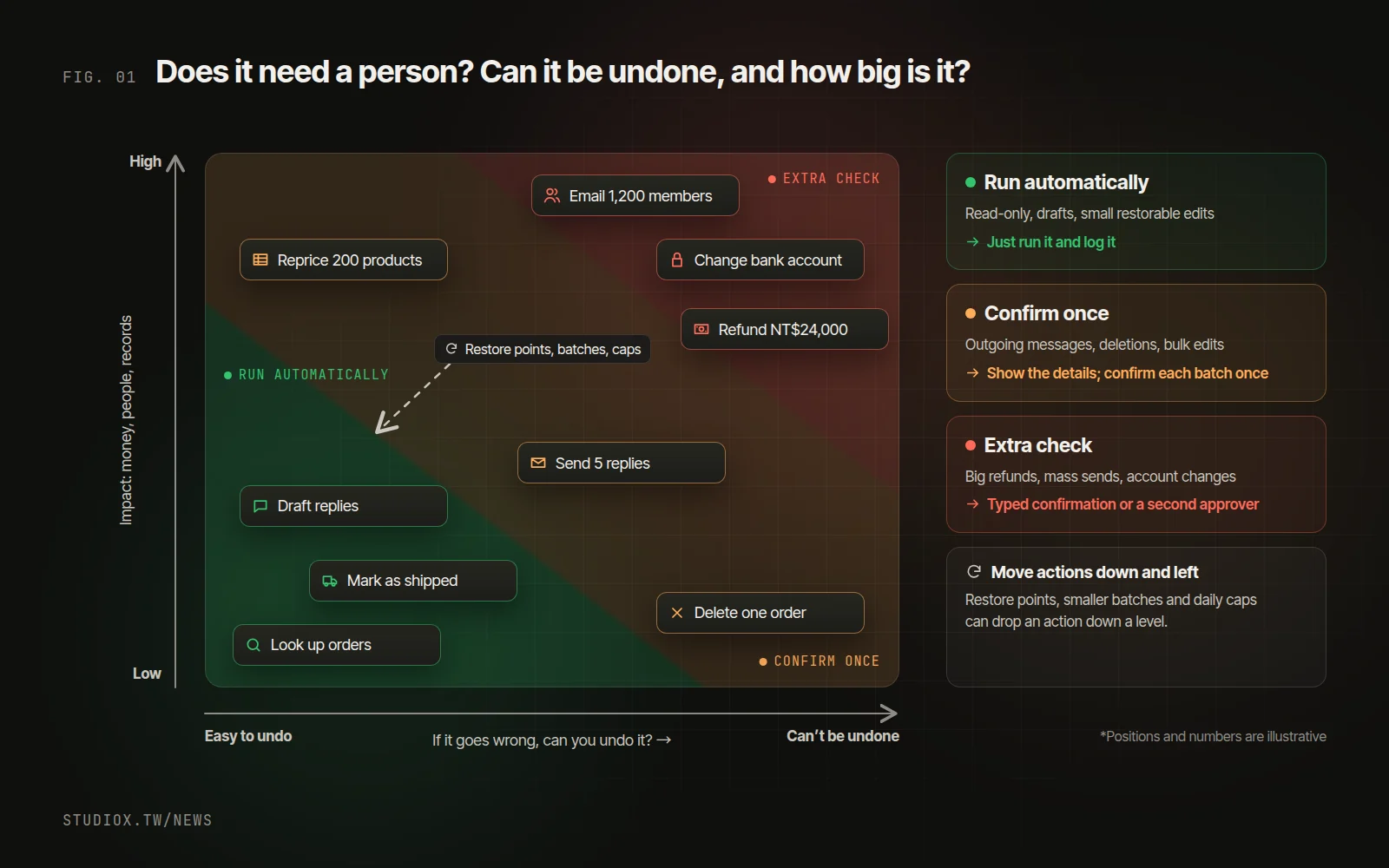
1. Money going out: refunds and payments above a threshold
Refunds, payments and coupons all send money out the door, and money that's gone is hard to get back. Small amounts can run automatically, but anything above a threshold needs a person to approve it. Watch the running total as well: a day with dozens of small refunds should also get a human look.
2. Sending to customers at scale: mass email, text messages, LINE
A wrong email to one customer can be fixed with an apology. A promotion with the wrong price sent to 1,200 members can't be unsent, and text messages cost money. Any send above a recipient threshold needs a person to check the content and the list.
3. Deletions and anything irreversible
Deleting customer records, voiding an invoice in Taiwan's government e-invoice system, canceling an order that has already shipped: once it's done, there's no going back. Where you can, design these as "archive" or "move to trash" instead. Anything that truly can't be undone always needs a person.
4. Permission and account changes
Adding an admin, changing someone's permissions, updating the bank account the business gets paid into: none of these move money directly, but they decide who can move money later and where it ends up. A request to "just update our bank details," supposedly from a manager or supplier, is a classic fraud tactic, so these changes need stricter confirmation than usual, and the right people should be notified.
5. Bulk edits: changing many records at once
Repricing 200 products or marking 300 orders as shipped may be reversible one record at a time, but the more records you touch, the bigger any mistake gets. Confirm the whole batch once, and save a restore point before it runs.
How to set thresholds: amount, count, confidence and exceptions
These are the common conditions, and you can combine them:
| Condition | How to set it (numbers are illustrative) | Good for |
|---|---|---|
| Amount | Refunds up to NT$3,000 run automatically; above that a person confirms; above NT$20,000 the owner approves | Refunds, payments, coupons |
| Count | Confirm any send to 50 or more people, or any edit touching 20 or more records | Mass sends, bulk edits, deletions |
| Running total | Each refund is under the threshold, but once the day's automatic refunds pass NT$15,000, every further one needs confirming | Refunds, coupons |
| AI confidence | Send it to a person when the AI's confidence is below 0.85 | Classifying, approving, routing |
| First time | A new payout account, a new supplier or a first-time customer always gets a human check the first time | Payments, account changes |
| Exception list | Key accounts, customers with past disputes, certain products or keywords always go to a person | Customer service, refunds |
A confidence score is only useful if you can trust it: when the AI says 0.9, about nine in ten of those calls should actually be right. That's called calibration. For how to check it against your own historical data before you pick a threshold, see how the Jev decision model does it.
A good confirmation screen can be read in five seconds
The point of a confirmation screen is to show what will actually happen before someone clicks, not to ask "Are you sure?" At a minimum, a good confirmation card shows:
- Who's asking, and through what: a colleague, the built-in AI assistant or an outside AI tool.
- What, and how many: "Cut fall prices by 10%, 24 products" is far clearer than "Update products."
- Before and after: old and new values for the first few records, with the rest a click away.
- Impact and cost: how much money goes out, how many people get the message, what the text messages cost, when it takes effect.
- Whether it can be undone: how to roll it back, or a plain "This can't be undone."
- A button that names the action: "Confirm 24 changes" is much harder to hit by accident than "OK."
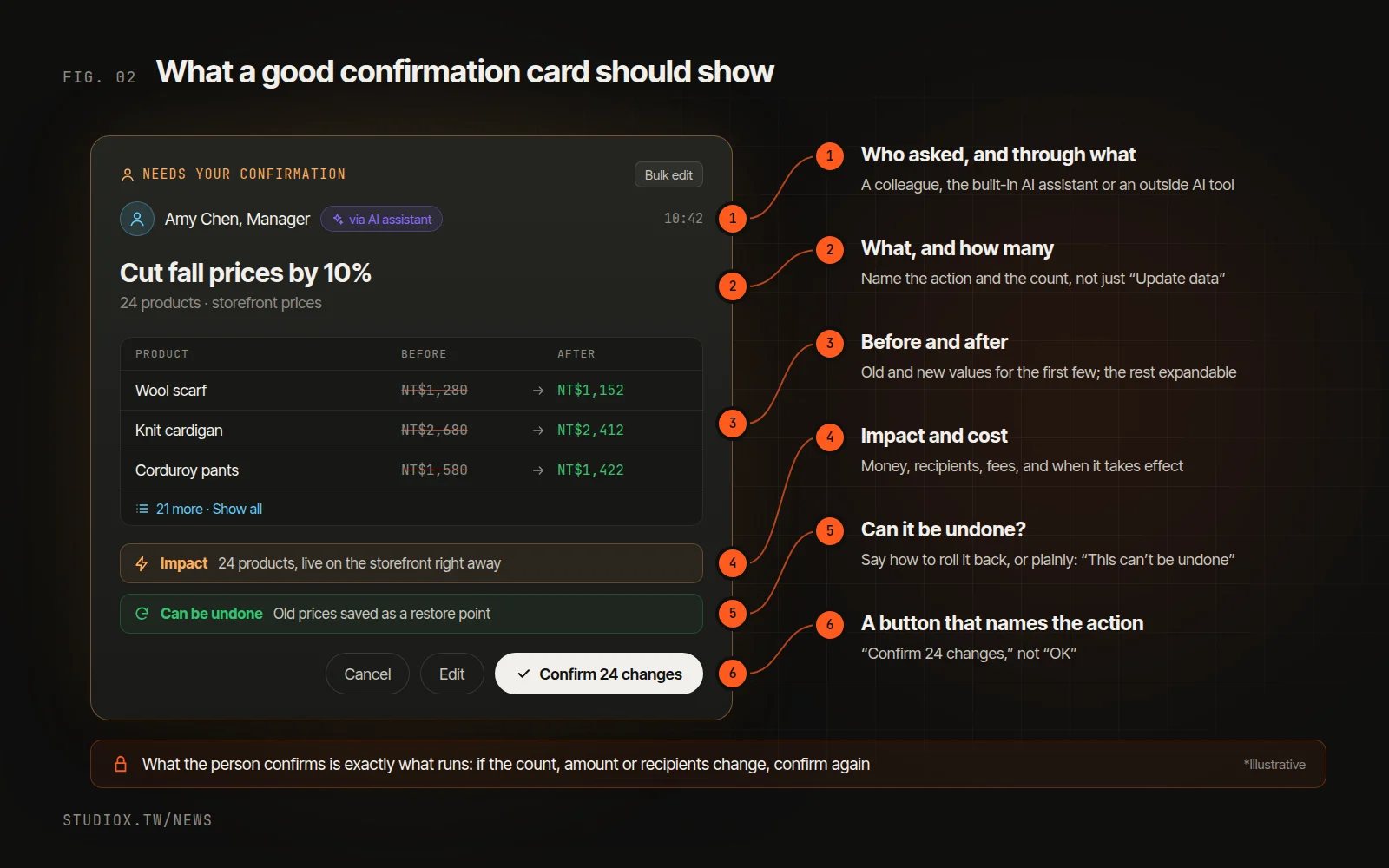
One more thing matters a lot: what the person confirms must be exactly what the system runs. If the count, amount or recipients change in any way after confirmation, ask again.
When to consider the next step
The three steps above work with a spreadsheet and the tools you already have. It's worth building confirmation into your system when:
- AI and automation handle more volume, and confirmations that depend on someone remembering or replying to a message get harder to track.
- You want AI to change back-office data, send replies or process refunds directly, not just draft them.
- More than one AI tool works in the same back office, for example a built-in AI assistant plus Claude connected over MCP.
- You want a record that shows who did it, who confirmed it and through what.
The next step: build confirmation and logging into the system
Build the confirmation into the back-office system rather than counting on the AI tool to remember to ask. You can go in phases: first, AI only looks things up and drafts; next, it proposes changes and a person confirms; only then do low-risk actions with a clean record run automatically. Early on, your current manual process can keep running alongside.
Confirmations only work if there are few of them. These four practices sharply cut the number of clicks without loosening control:
- Confirm a batch once: the AI drafts five customer replies, you check them together, and one press sends them all.
- Ask only about exceptions: anything that fits the rules with high confidence runs on its own; only items over a threshold or on the exception list go to a person.
- Typed confirmation for the riskiest changes: changing the payout bank account, for example, means typing a specific word before it goes through, so nobody approves it on reflex.
- A second approver above a limit: a large refund needs the owner's approval as well as the requester's, ideally through a separate channel such as a text-message code.
All of these are in use in the back offices we build. Xena AI, the assistant built into them, works within the signed-in person's own permissions. Any change, send or deletion first appears as a confirmation card and runs only after the person confirms. A batch of customer replies needs one confirmation. Changing the shop's bank account requires typing a specific word, and every owner is notified. Refunds above a threshold send the owner a text message and go through only after they approve.
Confirmation can't catch every mistake, so every action needs a record, and every mistake needs a way back:
- Who did it, and through what: the same edit might come from a colleague clicking in the admin pages, from the built-in AI assistant acting for them, or from an outside AI tool connected over MCP. The log needs to tell these apart, for example "Manager (via Xena AI)." In Xena AI's design, outside tools like Claude go through the same permissions and confirmations as the admin pages, and edited content can be restored.
- Who confirmed it, and what they saw: if something goes wrong, you can tell whether the screen was unclear or something was missed at confirmation.
- The version before the change: save a restore point before important data changes, so a mistake can be rolled back.
Human confirmation isn't a lack of trust in AI. It's a way of saving people's attention for the decisions that really need it. To see which parts of your workflow can go to AI and which should stay with people, start with a free AI Health Check, or take a look at our AI adoption services. You're also welcome to get in touch.