Small language models and on-premise AI: which businesses need them?
Open-weight small language models keep improving, making AI on your own servers realistic. We compare cloud and on-premise AI on security, cost, capability and upkeep, with a guide to choosing.
Key takeaways
- Small language models (SLMs) have far fewer parameters and can run on your own servers, or even a laptop, so your data never has to leave the company.
- They're good at well-defined tasks such as classification, field extraction, summarization and rewriting to a template. Large models are still stronger at open-ended, complex reasoning.
- The cost structures differ: cloud AI is pay-as-you-go, while on-premise means a one-time hardware investment plus the people to run it.
- For most businesses a hybrid setup works best: sensitive data is processed on-premise, and everyday tasks go to large cloud models.
Table of contents
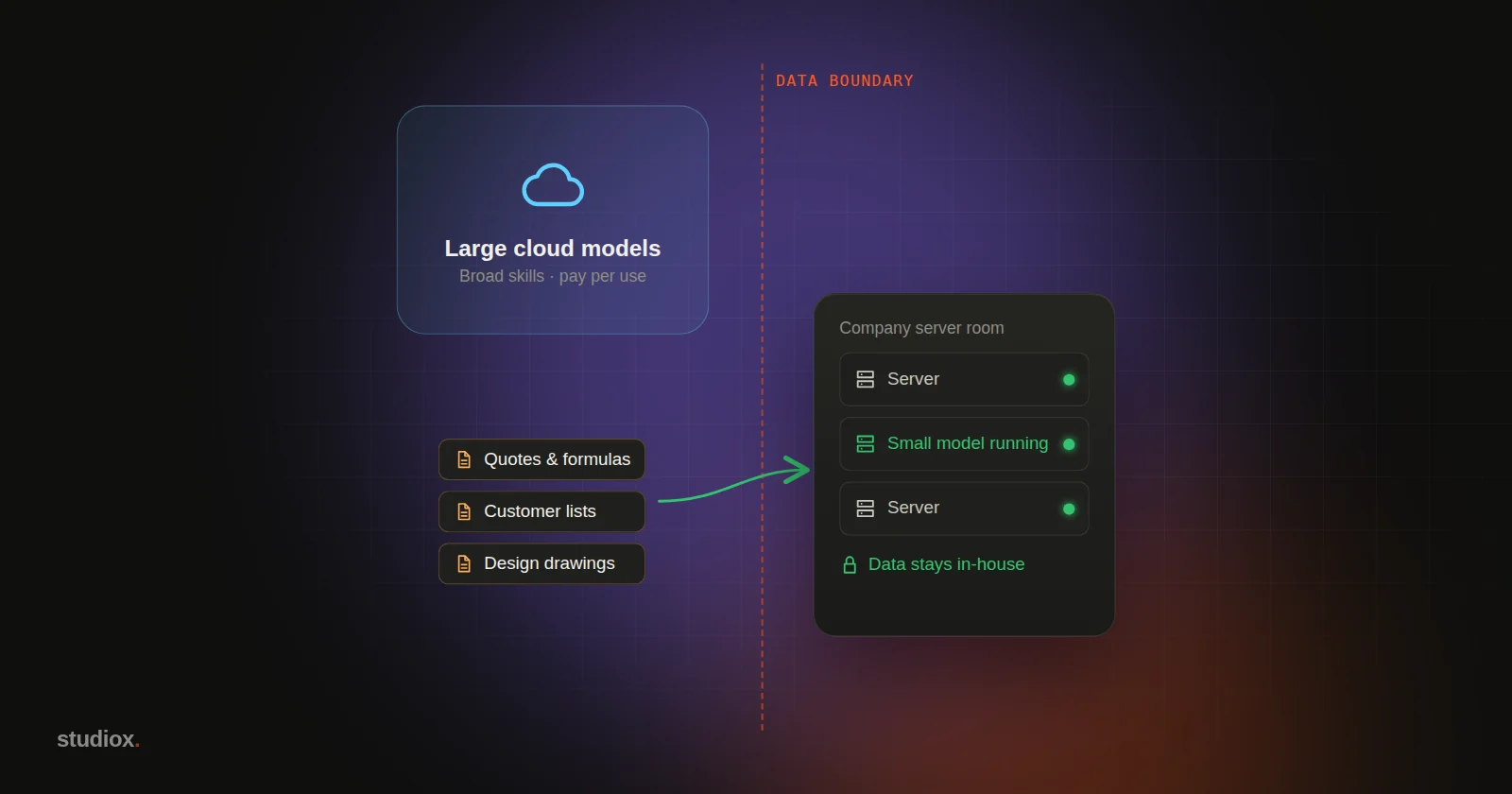
"Our data is sensitive. It can't go outside the company." That's the first brake many businesses hit when they start looking at AI. Quotes, formulas, customer lists, design drawings, medical records, financial data: sending any of that to an outside AI service understandably makes people uneasy.
The good news is that over the past two years, small language models (SLMs) have improved quickly. A growing number of open-weight models can be downloaded and run on your company's own servers, so your data never has to leave the building.
But on-premise AI isn't a cure-all. It has real limits on what it can do, and it costs something to operate. This article lays the options out side by side.
What is a small language model?
The large language models people usually talk about are offered as cloud services by AI companies. They have enormous numbers of parameters and broad capabilities. Small language models are much smaller, and what sets them apart is:
- They run in your own environment: company servers, workstations, even laptops.
- They're fast and their costs are predictable: there's no per-call fee.
- They can be tuned for specific tasks: fine-tune a model on company data so it learns the vocabulary of your field.
Common open-weight model families today include Llama, Qwen, Gemma and Mistral, each available in a range of sizes. Keep in mind that every model has its own license terms, so check them before any commercial use.
Large cloud models vs. small on-premise models
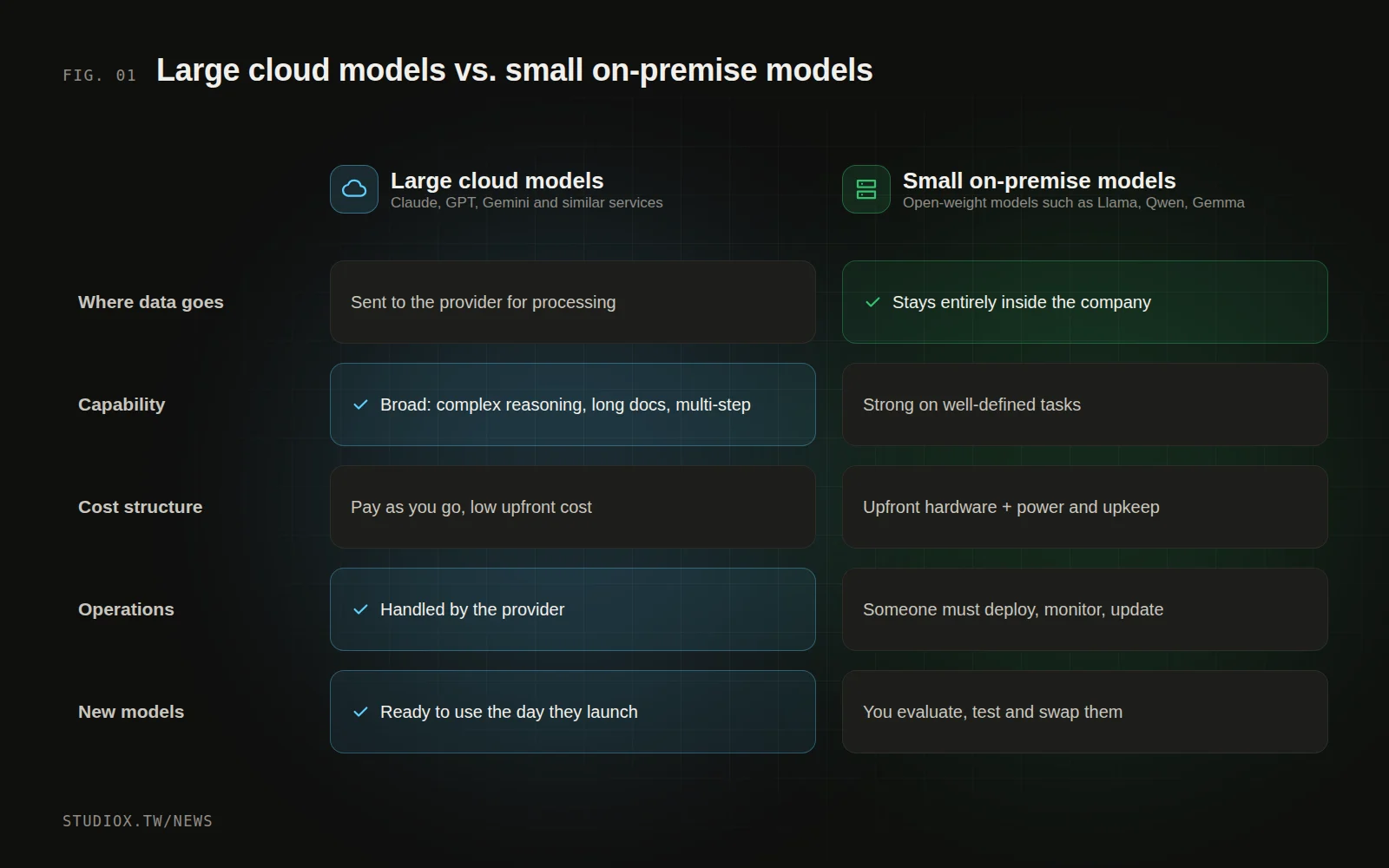
| Comparison | Large cloud models | Small on-premise models |
|---|---|---|
| Where data goes | Sent to the provider for processing (enterprise plans usually include no-training, encryption and similar safeguards) | Stays entirely inside the company |
| Capability | Broad; strong at complex reasoning, long documents and multi-step tasks | Good at well-defined tasks; weaker at complex reasoning |
| Cost structure | Pay-as-you-go, low upfront cost | One-time hardware investment, plus power and upkeep |
| Operations | Handled by the provider | Someone has to deploy, monitor and update it |
| New models | Available as soon as they launch | You evaluate, test and swap them in yourself |
What are small models good for?
Small models do well on well-defined tasks that have a clear right answer:
- Classification and routing: which category does this customer message belong to? Is this email a quote request, a complaint or spam?
- Field extraction: pulling customer names, part numbers, quantities and dates out of documents (see how AI reads orders and quotes).
- Summarization: condensing meeting notes or customer service chats into the key points.
- Rewriting to a template: turning technical specs into descriptions customers can follow.
- Pre-processing sensitive data: masking personal information on-premise first, then passing the cleaned-up content to a large cloud model.
On the other hand, tasks that need broad knowledge, multi-step planning or long stretches of autonomous work, such as an AI agent handling a complex process across several systems, are still more reliable with large cloud models.
How do you decide which to use?
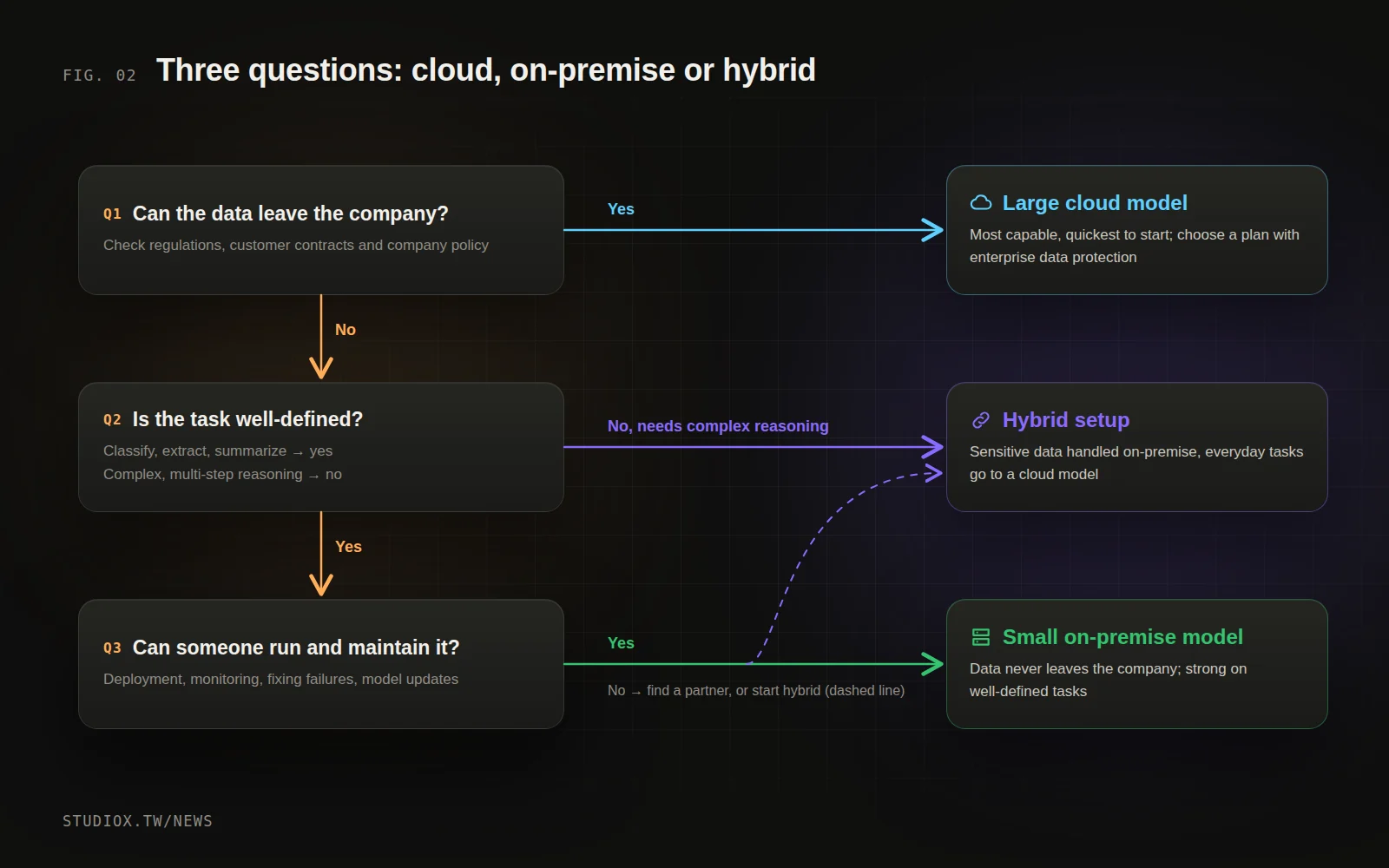
Ask yourself three questions:
- Do regulations, customer contracts or company policy prevent this data from leaving the company? If so, that part of the processing has to happen on-premise.
- Is the task well-defined, with a clear right answer? If so, a small model is usually enough. If it needs complex reasoning, consider a large cloud model or a hybrid setup.
- Do you have someone who can run it? On-premise AI needs someone to deploy it, monitor it, deal with failures and apply updates. Without that capability, you'll need a partner, or you should start in the cloud.
The most common answer: a hybrid architecture
In practice, most businesses are best served by a hybrid architecture:
- Sensitive data is processed on-premise: for example, a local small model extracts and masks personal information and handles confidential internal documents.
- Everyday tasks go to large cloud models: writing copy, analyzing public information, working with content that has already been de-identified.
- An integration layer handles the routing: it sends each job to the right model based on the type of data and task, and logs every run.
That way you protect sensitive data, still get the capabilities of large cloud models, and don't have to make a big hardware investment on day one.
What a hybrid setup looks like: analyzing customer service logs
Say you want AI to analyze a year's worth of customer service conversations to find out what customers complain about most. Those conversations contain names, phone numbers, addresses and order details, which makes them sensitive data. A hybrid setup could handle it like this:
- A small on-premise model goes first: on a server inside the company, a small model finds and masks personal information (names become "Customer A," phone numbers and addresses are removed) and sorts each conversation into a category (shipping, quality, refunds, other).
- Only de-identified content goes to the cloud: the masked conversation summaries are sent to a large cloud model for deeper analysis, such as identifying the root causes of complaints and suggesting improvements.
- The results come back inside the company: the analysis report is stored in your own systems, along with a record of which model processed which data each time.
With this split, sensitive data never leaves the company at any point, yet you still get the analytical power of a large cloud model. The key design decision is working out what information may leave the company before any data does.
What should you test when evaluating models?
Don't rely on benchmark scores you find online. Test with your own data:
- Accuracy: put together 50 to 100 real examples and compare results across models.
- Speed: how long does one job take on the hardware you plan to use? Does it slow down when several people use it at once?
- Consistency: does the same input give the same result? Is the output format correct every time?
- Language ability: models vary a lot in how well they handle Traditional Chinese and the terms used in Taiwan (or any language other than English), so test this yourself.
Before you get started
- Classify your data first: what's confidential, what's internal, and what can be public? Once the classification is clear, the architecture follows.
- Test with real tasks: run your actual documents and questions through both cloud and on-premise models, and compare accuracy and speed.
- Work out the full cost: on-premise isn't just hardware. There's also power, server room space, staff time and updates.
- Stay flexible: models improve fast, so design the architecture to make swapping models easy rather than locking yourself into one.
"Our data can't leave the company" is no longer a reason you can't use AI. With the right architecture, you can strike a balance between security and capability. To work out which approach fits your data and tasks, take a look at our AI integration services, or tell us what you need.