Excel production scheduling: 5 hidden costs and a practical first step
Excel keeps many factories running, but version chaos, lagging updates and one-person know-how quietly erode capacity and delivery dates. Five hidden costs, and a phased fix without a big ERP.
Key takeaways
- The problem isn't Excel itself. It's scattered data, conflicting versions and information that is always a step behind.
- The biggest hidden cost is key-person risk: when only one person understands the schedule, the line stalls whenever they're out.
- You don't need a big system all at once: build a single source of truth first, then add a live board and early warnings.
- Every step has to make life easier on the shop floor, or the new tools won't stick.
Table of contents
Walk into the office of a typical small or mid-sized factory and you'll often find one Excel workbook holding up the whole operation: dozens of sheets, hundreds of formulas, color codes for rush orders and delays. The production planner has probably spent years refining it. It's powerful, and they're the only one who truly understands it.
There's nothing wrong with Excel. It's flexible, quick to learn and where many factories start going digital. But as orders grow, product mixes get more complex and customers get stricter about delivery dates, the hidden costs of Excel scheduling start to surface, usually at the busiest possible moment.
5 hidden costs
1. Version chaos: which file is the latest?
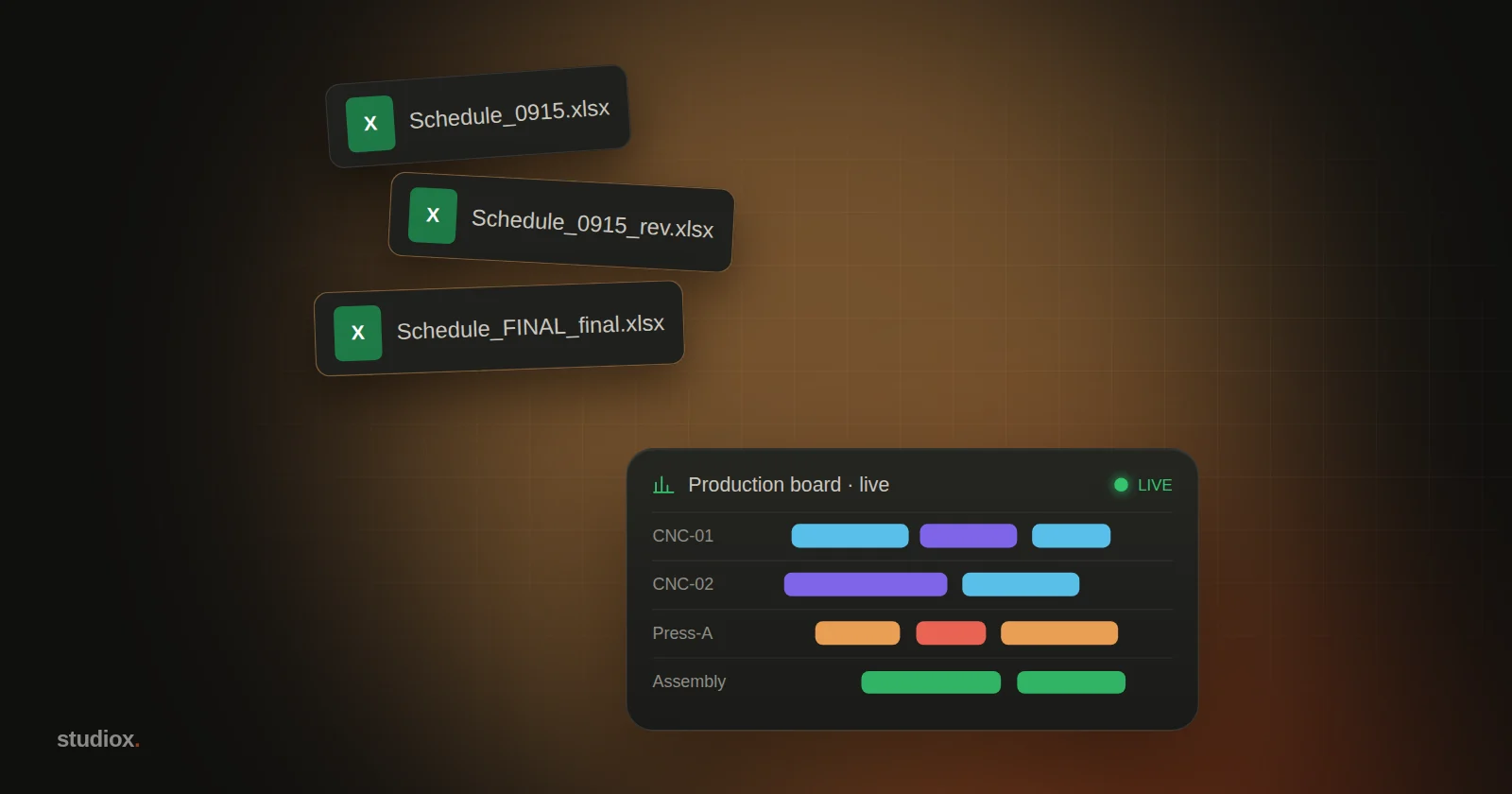
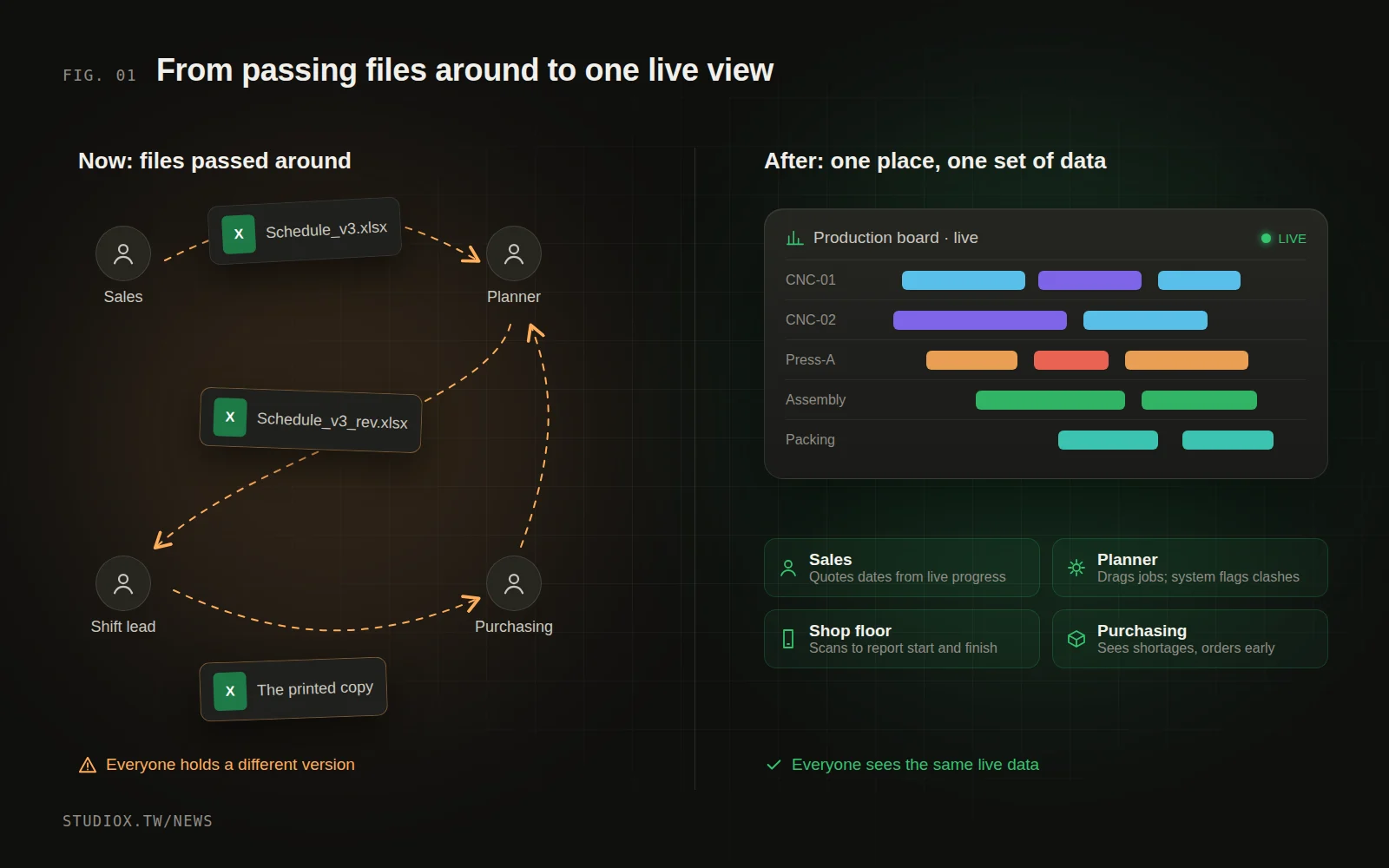
"Schedule_0915.xlsx", "Schedule_0915_rev.xlsx", "Schedule_0915_rev_FINAL.xlsx": files bounce around by email, LINE (the messaging app most Taiwanese companies use for day-to-day work) and USB drives. Sales is looking at this morning's version while the floor works from the copy printed yesterday. Every mismatch is a chance to make a promise you can't keep.
2. Information is always a step behind
Progress on the floor waits for someone to report it, then for someone else to update the spreadsheet. If a machine broke down this morning or a batch of material arrived late, the office might not know until the afternoon. When sales quotes a delivery date, they're working from an outdated picture.
3. Key-person risk
This is the most common risk, and the most dangerous: the scheduling logic lives only in one person's head and their spreadsheet. Which machine suits which product, which customer's order can jump the queue, how much time to allow for a changeover: none of it is written down. When that person takes leave or quits, production descends into chaos.
4. Slow quotes and delivery commitments
A customer asks, "What's the earliest you can ship this batch?" Sales has to ask the planner, the planner digs through the schedule and works out capacity, and the back-and-forth can take half a day. In a market that competes on speed, answer late and the order may go to someone else.
5. No traceability, no improvement
Which batch of raw material went into which batch of product? Which machine causes the most delays? How long does a changeover take on average? These questions are hard to answer from Excel. Without data, improvement is guesswork.
Why not just roll out a big ERP?
Many owners' first instinct is "Let's just get an ERP." But we've seen plenty of cases where a large system took a year or two to implement, and the floor ended up back in Excel anyway. The usual reasons:
- The process is forced to fit the system, rather than the other way around, and the floor finds the new way more cumbersome.
- Too much changes at once. People are told to switch over completely before they've gotten used to anything.
- Data is imported before it's cleaned up, so what's in the system doesn't match reality, and nobody trusts it.
A more practical approach is to go in phases and fix the most painful part first.
A practical path: four phases
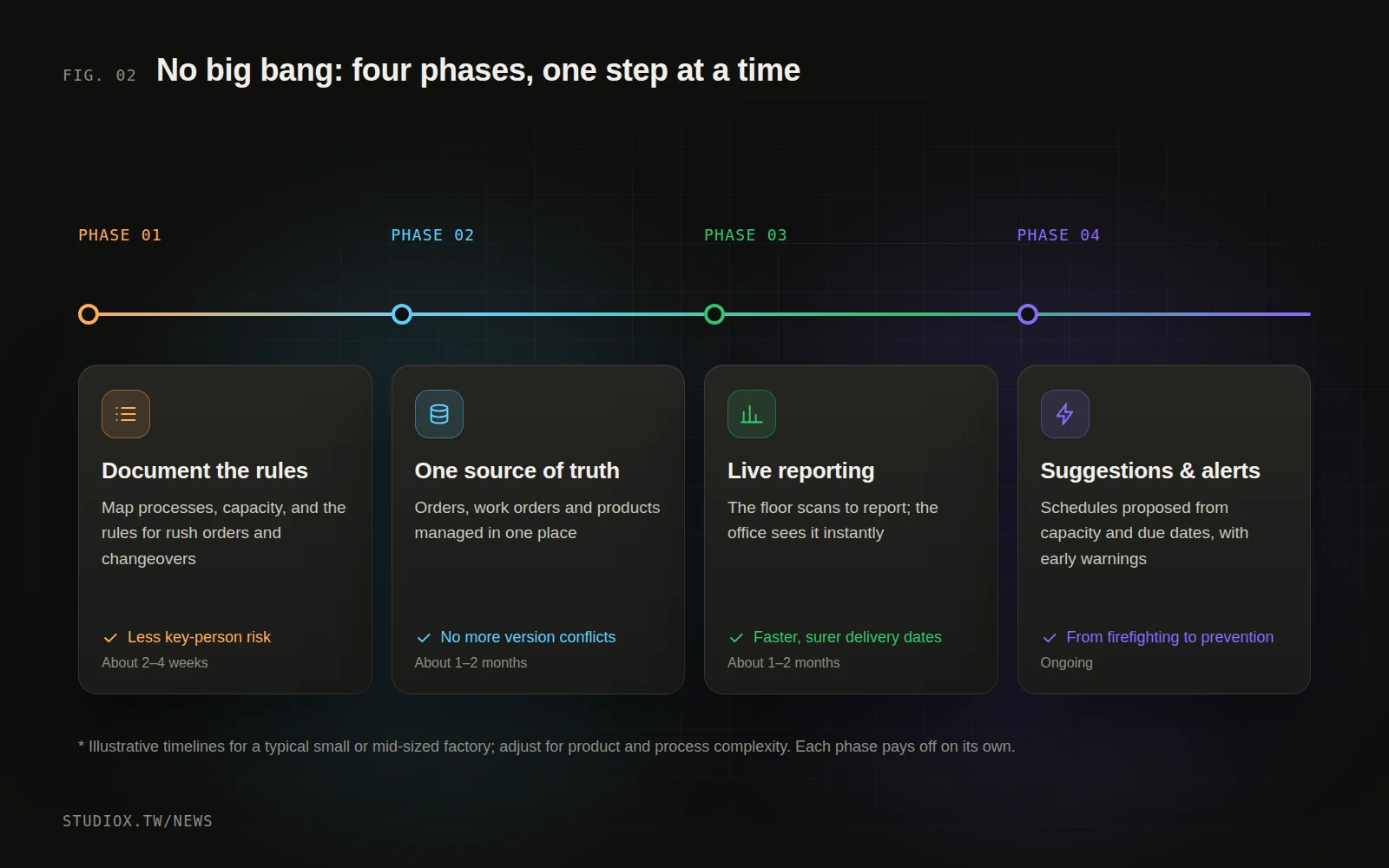
Phase 1: Write down the rules (about 2–4 weeks)
Sit down with the planner, shift leads and sales and take stock. What products and processes do you have? What is each machine's capacity, and what are its limits? What are the rules for rush orders and changeovers? This step alone reduces key-person risk, because experience starts turning into documentation.
Phase 2: Build a single source of truth
Bring orders, work orders, products and routing data into one system. The point isn't a long feature list. It's that everyone sees the same, up-to-date version. Your existing Excel data can usually be cleaned up and imported.
Phase 3: Live reporting from the floor, live visibility in the office
Operators scan a code on a tablet or phone to report when a job starts, finishes or runs into a problem. A board in the office shows each work order's progress and delay risk in real time. When sales quotes a delivery date, they're looking at what's actually happening.
Phase 4: Scheduling suggestions and early warnings
With reliable data in place, the system can suggest schedules based on capacity, due dates and your rules, and warn you early when something is likely to slip. This is also a good point to bring in AI, for example to compile a daily production summary or analyze the causes of delays (see Where to start with AI).
An illustrative scenario: a 30-person metalworking shop
The following is an illustrative scenario pieced together from several cases, to help you picture the before and after.
Before: Every morning, the planner spends over an hour collecting the previous day's paper work orders from each station, updating Excel, then printing the new schedule and posting it on the floor. When sales needs to confirm a delivery date, they have to call the planner first. When a rush order comes in, the planner reworks the entire schedule, often until late in the evening.
After Phase 1: The planner and two shift leads spend three weeks documenting which products each machine can make, changeover times and the rules for rush orders. Along the way they discover three rules only the planner knew. Now they're finally on paper.
After Phases 2 and 3: Orders and work orders move into one system, and operators scan barcodes on a tablet to report when jobs start and finish. The planner no longer compiles reports by hand, and sales can check each order's progress themselves, so confirming a delivery date no longer means asking around.
After Phase 4: The system flags work orders that are likely to run late, so the planner has time to adjust instead of finding out when the customer calls to chase the order.
The biggest gain is often not any single feature, but that everyone is finally looking at the same data. Meetings stop being arguments about which version is right and go straight to solving the problem.
Three principles for making it stick
- Remove hassle on the floor; don't add it: reporting has to be faster and take fewer steps than today, or people won't use it.
- Keep it flexible: rush orders and last-minute changeovers will happen. The system should let authorized people make adjustments, and keep a log of them.
- Make results visible: at the end of each phase, review concrete metrics, such as how long it takes to confirm a delivery date, how many orders are late and how much time goes into updating the schedule each day.
Excel has carried many factories a long way. When it starts slowing down your responses and making delivery dates unreliable, it's time to upgrade. You don't have to do it all at once, but you do have to head in the right direction. If you'd like to figure out where your factory should start, take a look at our custom business systems service or book a free process consultation.