Where to start with AI: 4 questions to find what's worth automating
Many companies buy AI tools first and look for uses later, and soon nobody uses them. Score your processes on frequency, time, clarity of rules and error risk to find the first one to automate.
Key takeaways
- Find the problem first, then the tool: start with processes that happen every day and that everyone finds tedious.
- Score each process on four questions: how often it happens, how long it takes, whether the rules can be spelled out, and how bad a mistake would be.
- Pick a first project you can actually deliver and whose results people can see, not the biggest or most complex one.
- Define success in concrete numbers, such as hours saved per week or fewer errors.
Table of contents
"Shouldn't we be using AI by now?" Over the past two years, it's the question we've heard from business owners more than any other. What usually follows: buy a few AI tool subscriptions, run a training session, and then... two months later, everyone is back to the old way of working.
The problem isn't that AI doesn't work. It's that the order is backwards: tool first, use case later. A more effective approach is to first find the most painful process in the company, the one most worth fixing, and then decide how to fix it. Sometimes that's AI; sometimes it's just connecting two systems.
Step 1: List candidate processes
Set aside an afternoon with department heads and front-line staff, and list the work that happens every day or every week and eats up time. Don't worry yet about whether it can be automated. Just write it all down. Common examples:
- Keying customer orders into the ERP
- Answering the same questions over and over on LINE, the messaging app most Taiwanese customers use (opening hours, shipping fees, order status)
- Month-end reconciliation and applying customer payments to invoices
- Compiling daily or weekly operations reports
- Updating product information on the website or e-commerce platforms
- Copying and pasting the same record between several systems
Most small and mid-sized businesses can list 15–30 candidates in no time.
Step 2: Score each process with four questions
For each process, ask these four questions and give each one a score from 1 to 5:
- How often does it happen? (frequency) Several times a day scores 5; once a month scores 1.
- How long does it take each time? (time) Half an hour or more, or a relay between several people, scores 5.
- Can the rules be spelled out? (clarity) If a senior colleague can clearly explain how the decisions are made, it scores 5; "it depends, you just get a feel for it" scores 1.
- How bad is a mistake? (risk, scored in reverse) If mistakes are easy to spot and fix, it scores 5; if they could cause major losses or legal trouble, it scores 1.
Step 3: Rank the scores and pick your first project
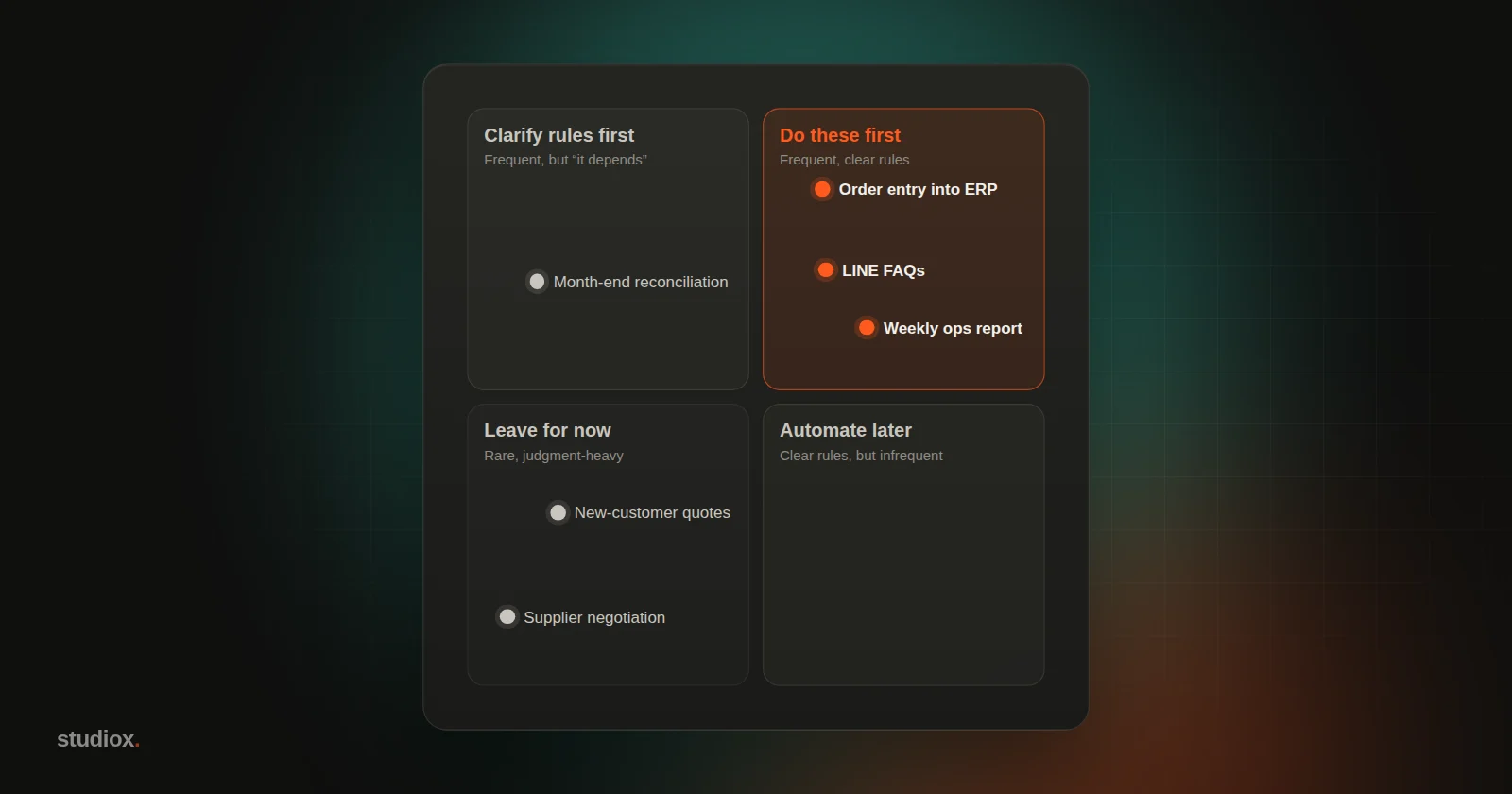
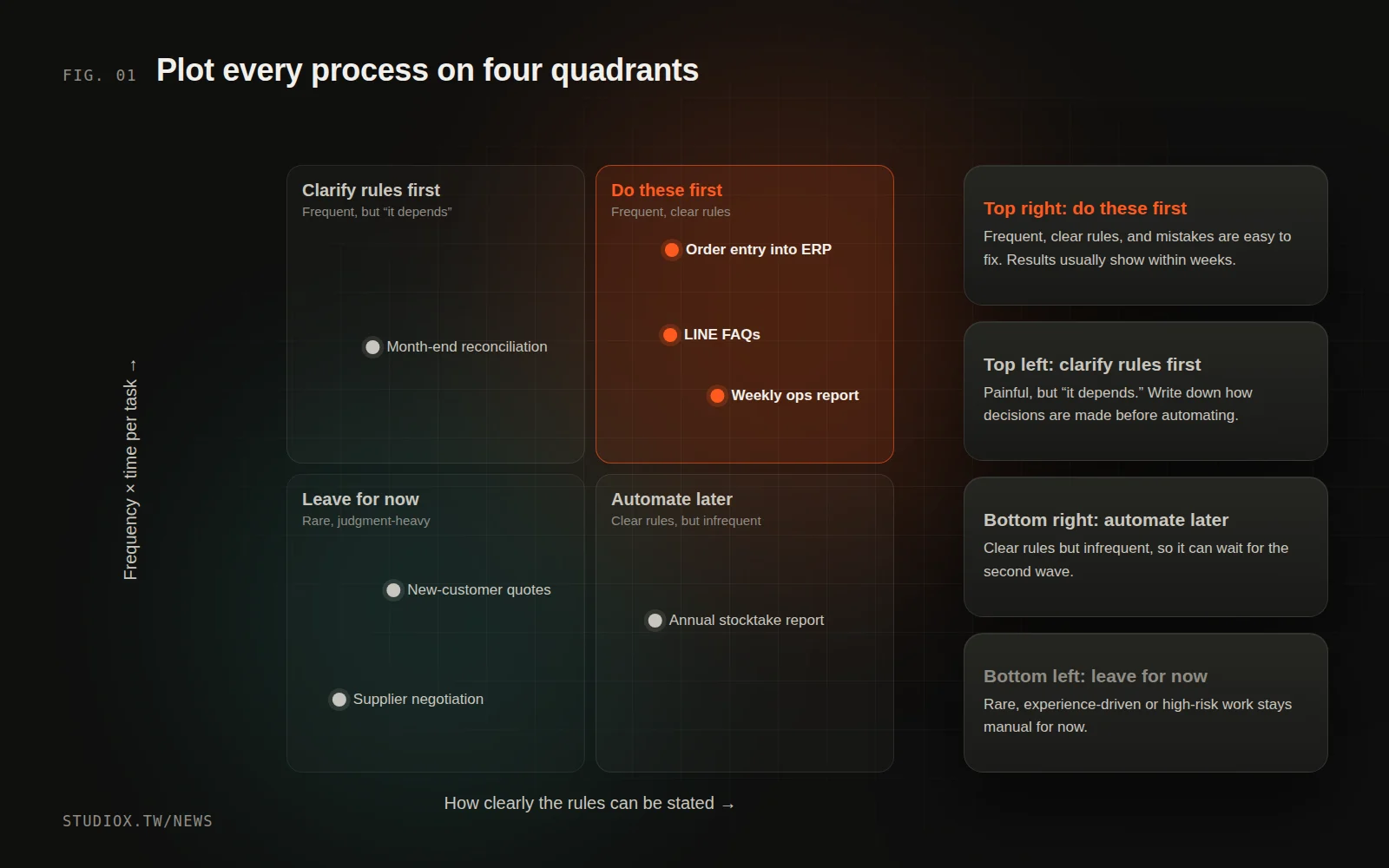
Add up the four scores and sort the list. You'll usually see three groups:
- High (16 or more): do these first. They happen often, the rules are clear and the risk is manageable, so you'll usually see results quickly.
- Middle (10–15): tidy up first. The rules may not be clear enough yet, or the data is scattered. Write the rules down and clean up the data, then automate.
- Low (under 10): leave these alone for now. Occasional tasks, work that depends heavily on experience and judgment, and processes where mistakes are costly should stay manual for now.
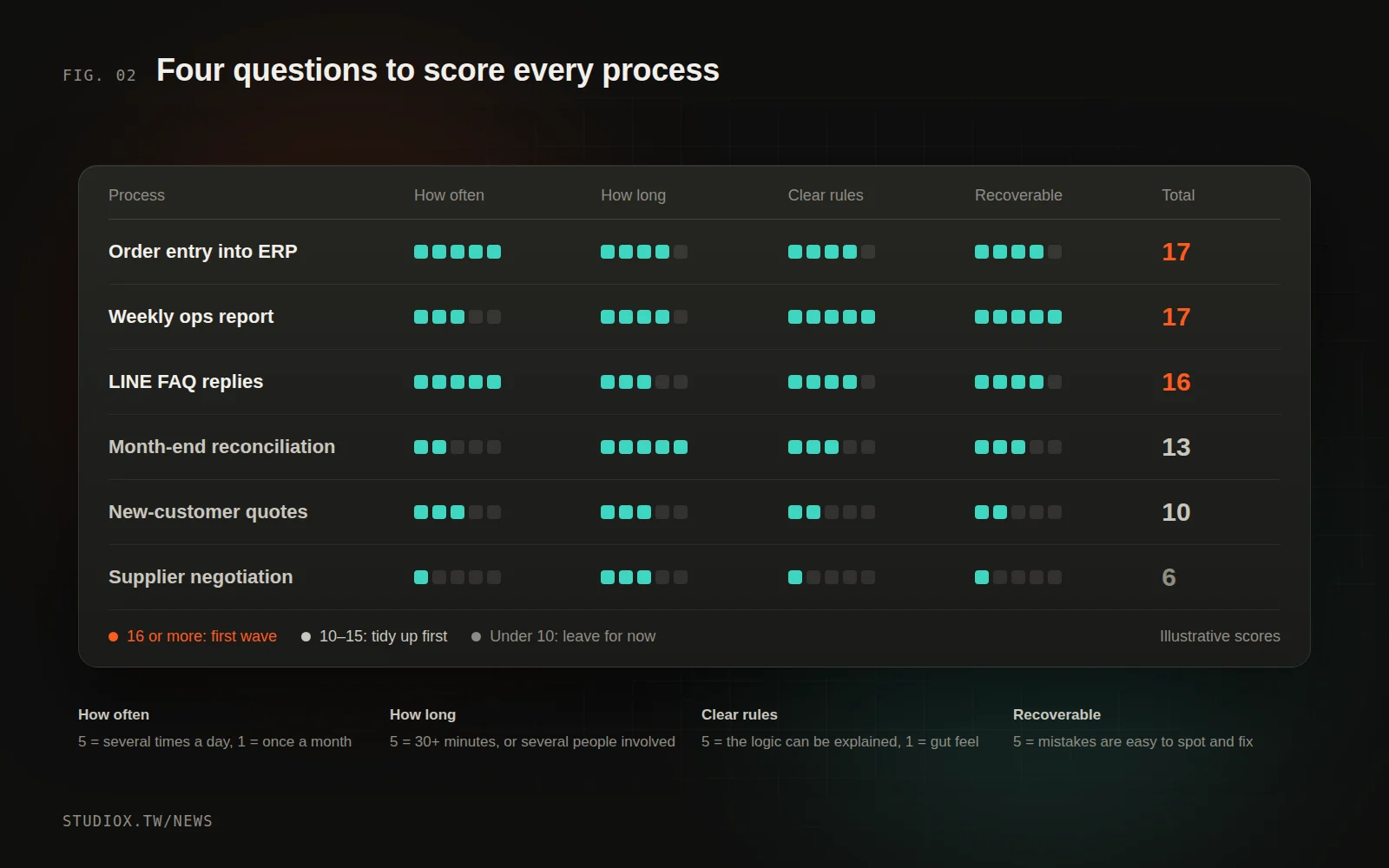
Here's an illustrative set of scores:
| Process | Frequency | Time | Clear rules | Risk (reversed) | Total |
|---|---|---|---|---|---|
| Order entry into ERP | 5 | 4 | 4 | 4 | 17 |
| LINE FAQ replies | 5 | 3 | 4 | 4 | 16 |
| Weekly operations report | 3 | 4 | 5 | 5 | 17 |
| Month-end reconciliation | 2 | 5 | 3 | 3 | 13 |
| New-customer quotes | 3 | 3 | 2 | 2 | 10 |
| Supplier negotiation | 1 | 3 | 1 | 1 | 6 |
Step 4: Define what success looks like
Once you've picked your first project, write down the numbers that will tell you whether it worked, for example:
- Order entry time drops from 3 hours a day to 30 minutes
- 60% of the common questions on LINE are answered directly by AI
- The weekly report goes from 2 hours of manual work to arriving by email automatically every Monday morning
With clear targets, you know what to adjust along the way, and it's easier to bring other departments on board.
An illustrative case: a 20-person trading company
The following illustrative scenario draws on several cases to show how the method works in practice.
A 20-person trading company wanted to adopt AI but didn't know where to begin. We spent half an hour each with sales, the sales assistants, accounting and the warehouse, listed 22 candidate processes and scored them with the four questions:
- The top scorer was entering customer orders into the ERP. Two sales assistants each spent about two hours a day keying in the PDF orders customers emailed. The rules were clear (a part-number cross-reference table already existed), and mistakes would be caught before shipping.
- Second was the weekly sales and inventory report. Every Monday morning, the sales manager spent half a day exporting data from the ERP and turning it into a presentation.
- Month-end reconciliation scored in the middle. It took a lot of time, but involved too many exceptions. It went into the second wave, and accounting was asked to write down the most common causes of discrepancies first.
- Quoting and negotiation scored lowest. Both rely heavily on the sales team's experience and customer relationships, so they stayed manual for now.
The first project was order entry (see How AI reads orders and quotes), with a clear goal: cut the time the sales assistants spend on data entry by at least half. Some time after launch, the assistants were putting the time they saved into tracking delivery dates and reaching out to customers, and the owner, having seen concrete results, decided to start a second project.
Not everything needs AI
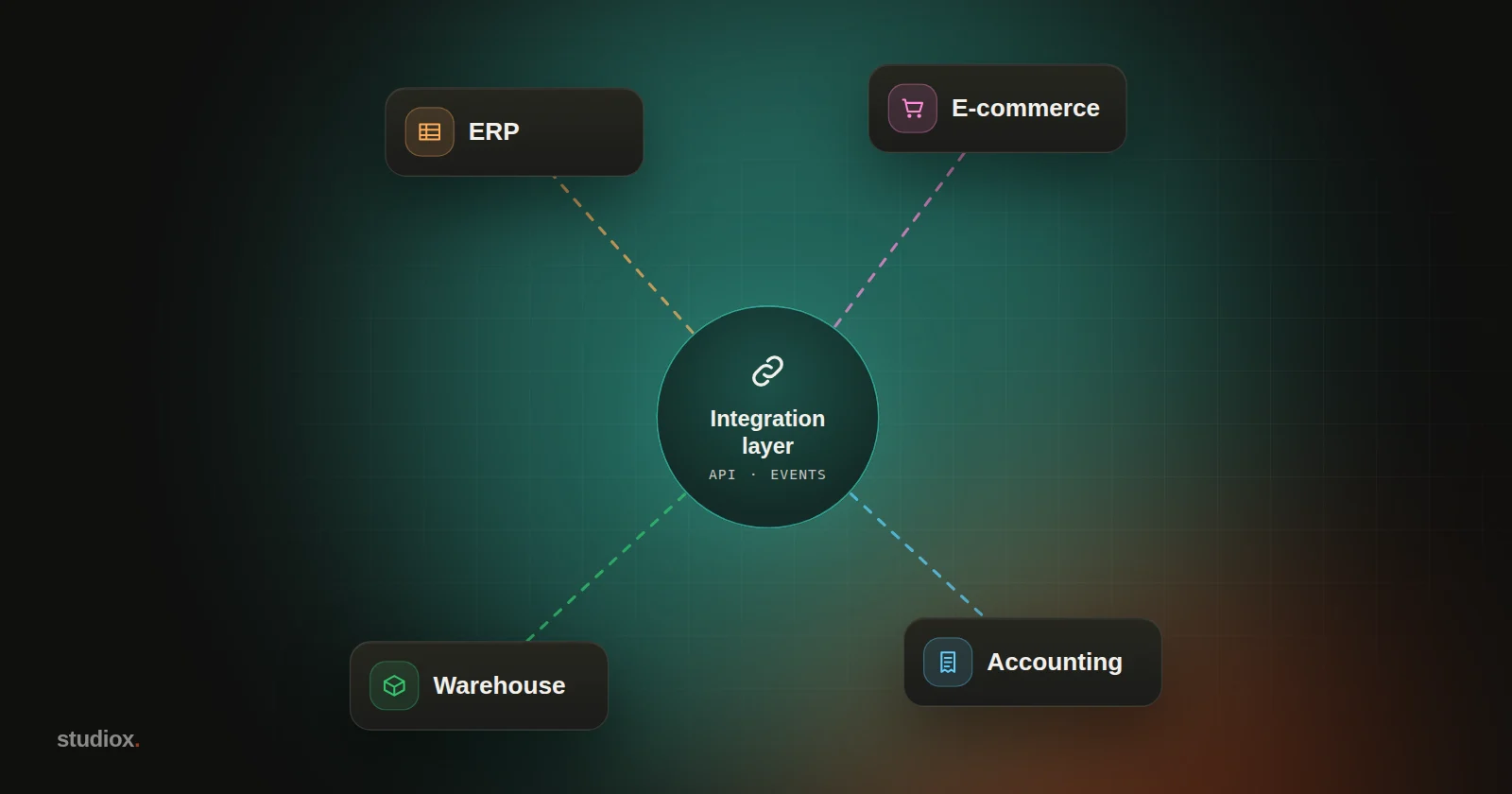
Once you've done the assessment, you may find that some processes don't need AI at all. Connecting two systems so the data syncs automatically solves the problem. Examples include pushing e-commerce orders straight into the ERP, or updating shipping status automatically once goods go out. This kind of integration is often cheaper and more reliable than AI (see You don't have to replace your old systems).
AI is at its best wherever the work requires understanding content: reading the documents customers send, making sense of customers' questions, pulling the key points out of a pile of data. Use the right technology in the right place and you'll get the best results.
Four common mistakes
- Starting with the biggest, most complex process: if the first project fails, it's hard to get anything else off the ground.
- Only talking to IT or the owner: the people who really know where a process gets stuck are the front-line staff who do it every day.
- Starting before the data is cleaned up: if AI is working from wrong or outdated data, you'll only get more chaos.
- Treating launch as the finish line: after launch, keep watching the numbers, gathering feedback and adjusting the rules.
Adopting AI isn't about buying software. It's a chance to rethink how work gets done. Start with one process, get results, then expand step by step. If you'd like help mapping your processes and working out where to start, take a look at our AI adoption and integration service, or book a process consultation.